Data leak protection (also known as DLP) is the practice of preventing data leaks. It’s a set of tools, processes, and strategies designed to ensure that sensitive information doesn’t leave your organization’s control (whether accidentally or intentionally). While data leak prevention (DLP) solutions often get mentioned alongside antivirus and firewalls, they serve a different purpose. Firewalls keep bad guys out. DLP keeps good data in.
Understanding what a data leak protection framework is helps organizations build programs that actually work, rather than just buying tools and hoping for the best.
This article discusses what data leak protection really means, why it matters more than ever, how it works, and the concrete steps you can take to build a program that actually protects your organization’s most valuable information.
What is Data Leak Protection?
Data Leak Protection is a mix of tools, processes, and strategies that prevent the loss of sensitive information outside of an organization’s authorized boundaries, whether it is done intentionally or not. It is about having the right people access the correct data and ensuring that the data doesn’t fall into the wrong hands.
Think of it in this way: your organization has sensitive data, like customer payment information, the personal information of your employees, product roadmaps, and trade secrets. These things all have intrinsic value.
And just like you would not leave cash on the sidewalk, you should not leave sensitive information unsecured in email messages, cloud storage, USB drives, or store them in improperly configured database files.
What are Data Leak Protection (DLP) Solutions?
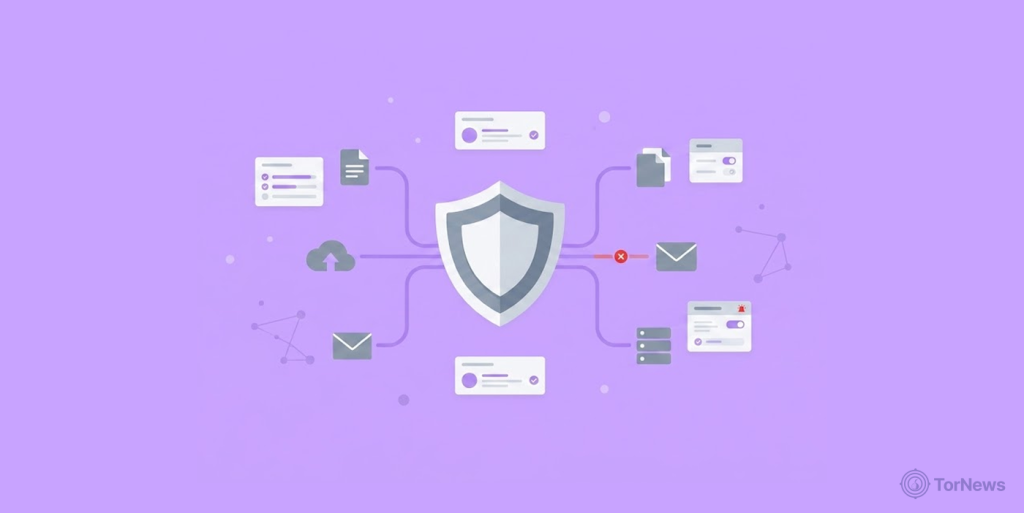
So, the next question is, what is a data leak protection solution? These are your technical controls that will monitor, detect, and block unauthorized transfers of data. They look at data in three different states: data in motion (data transmitted via email), data at rest (data stored on devices or in the cloud), and data in use data being accessed or modified.
Once a DLP solution detects a violation of a company policy (for example, an employee emailing a spreadsheet full of customer data to their personal email), it provides an alert, blocks the data transfer, and/or encrypts the data being transferred.
DLP solutions aren’t limited just to technology. They also cross culture, policy, and training. If you have the best technical tools available, but your employees don’t receive proper education on defining sensitive data or how to properly manage and protect sensitive data, those same technical tools are not effective, and data will eventually leak. The most effective DLP approach thus combines technology with written rules and continual education.
For a clearer picture, what is data leak protection examples might include:
- A healthcare provider using DLP to prevent patient records from being emailed outside the organization
- A bank is blocking uploads of financial spreadsheets to unauthorized cloud storage
- A retail company scanning its network for unencrypted credit card numbers
- A software firm prevents source code from being copied to USB drives
At its core, data leak protection answers a simple question: How do we keep our secrets secret?
How Does Data Leak Protection Work?
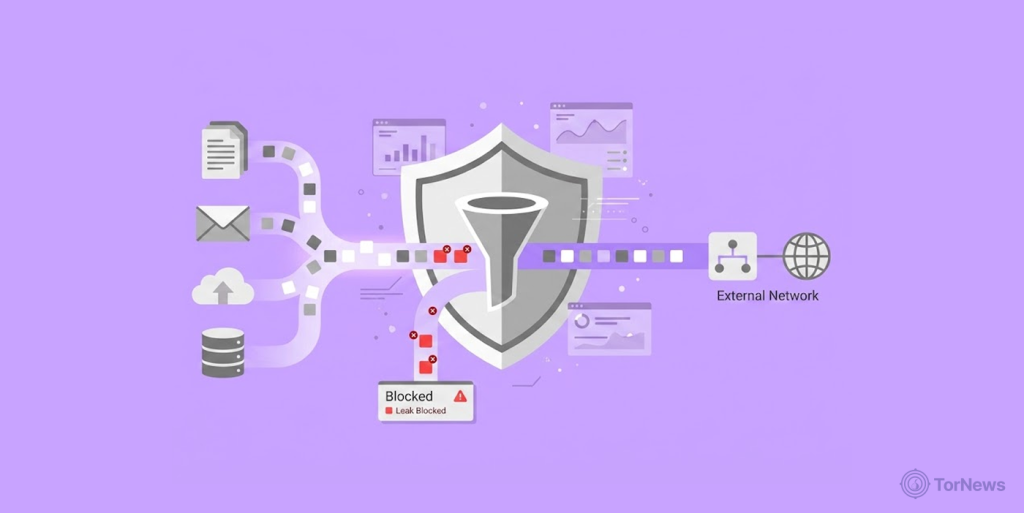
You might wonder: how does DLP software actually know what’s sensitive? The truth is that it doesn’t rely on magic and cannot read through every document the way a person would.
DLP solutions utilize multiple technical approaches to determine what constitutes sensitive data by using things like patterns, fingerprints, or behavior. In fact, there are many different types of methods below that DLP solutions employ:
Regular Expression Matching
Regular expressions (often called regex) are patterns that match specific text formats. This method is by far one of the most basic and universally accepted means of identifying sensitive information. Regular expressions are essentially supercharged search patterns used to identify sensitive information based on established criteria, rather than an exact match.
Some examples are as follows:
- A credit card typically has a consistent pattern of 16 digits grouped by 4 numbers, and it will usually start with an established first digit depending on the credit card issuer.
- A social security number has the same overall layout as a credit card and consists of 3 digits, a dash, then 2 digits, a dash again, and lastly the final 4 digits.
- Patterns in email addresses have an identifiable textual set together with the ‘@’ sign, a host domain name, a ‘.’ character, and the ‘extension’ being an additional component like ‘.com’, ‘.net’, etc.
Similarly, DLP solutions offer preconfigured or ready-to-use sets of regular expressions for scanning data types that pass through the system (email, file uploads, and network traffic) for a match.
If there are any credit card numbers in the document, the DLP would identify them as sensitive information. The match doesn’t guarantee it’s an actual credit card, it could be a test number or a random sequence that happens to fit the pattern. But it’s enough to trigger a closer look.
File Checksum Analysis
Sometimes you don’t need to scan content at all. You just want to know whether a particular file is on its way out of your organization.
Checksum data analysis creates an independent digital fingerprint of every single byte of a file – when the file is created (the “hash” is a unique string of characters derived from the content of that file). Even making the smallest change to one bit of a file completely changes its fingerprint.
How it works:
- You identify particularly sensitive files (a spreadsheet with customer data, a document containing trade secrets).
- The DLP system calculates and stores its checksums.
- Before a file leaves the system, the DLP solution will evaluate its checksum and also compare it against its stored list.
- Once it finds a match, the application understands the exact file and will respond accordingly.
This is a very precise way of identifying files. It works entirely on the content of the file and doesn’t use metadata, file names, etc. Therefore, regardless of how many times someone renames “Customer_List_2025.xlsx” to maybe “Vacation_Photos.xlsx”, the original file’s hash will be the same as when it was created, and therefore any DLP (Data Loss Prevention) application will still identify the original file.
Checksum data analysis works best for collecting structured & unchanging data types. Once the structure and content of a file have been changed, the file will receive a new hash value when it is saved.
Structured Data Fingerprinting
Structured data fingerprinting is a sophisticated version of checksum analysis. Rather than employing fingerprinting techniques to identify entire files, fingerprinting techniques can identify structured pieces of information, such as records in a database table or items in a spreadsheet column.
This approach is particularly helpful when working with large, constantly changing datasets. For example, a CRM system that updates with new customer record data, though the structure of the customer data does not change. The DLP solution can identify the structured pattern of a client’s records, rather than providing an exact match (e.g., by creating a fingerprint) to the records within that client’s database.
When data attempts to leave the system, the DLP solution can refer to these organized fingerprints to determine whether the dataset contains these structural fingerprints. It identifies that any new export will contain customer records, even if the DLP system has never seen those datasets before.
This method allows for both accuracy and flexibility. It catches sensitive data without requiring you to fingerprint every individual file.
Partial Data Matching
Partial data matching looks for fragments of sensitive information rather than complete documents. It’s useful when someone tries to bypass DLP by breaking data into smaller pieces.
If a person is attempting to exfiltrate customer information, instead of sending the entire exported version, they may decide to create smaller bits of the data using multiple emails and copying/pasting data into them, thus creating smaller datasets. Traditional DLP may not be able to detect this type of attempt at data exfiltration because of the smaller quantity of data sent at a time in each email.
Partial data matching connects the dots. It recognizes that multiple small pieces, when combined, add up to something sensitive. It can flag suspicious patterns, the same person sending multiple emails with customer-like fragments to the same external address. This technique requires more sophisticated analysis and often involves user behavior monitoring alongside content inspection.
Statistical Analysis
Statistical analysis takes a step back and looks at data in aggregate. Instead of asking, “Does this follow a pattern?” it asks, “Does this contain sensitive information based on statistical distribution?”
Certain types of sensitive information, like credit card numbers, with specific attributes (algorithm checksum, frequent sequences, and or combinations of numbers), can be identified with statistical analysis even without a static pattern.
This technique helps catch novel or obfuscated data. Someone trying to hide sensitive information by altering its format might still trigger statistical detection.
Lexicon Matches
Lexicon matching uses dictionaries of sensitive terms to identify data by context. Instead of looking for patterns, it looks for words and phrases that suggest sensitive content.
A lexicon might include terms like:
- “Confidential”
- “Trade secret”
- “Proprietary”
- “Internal use only”
- “Do not distribute”
- Project code names
- Executive names
- Financial terms
When a document contains certain words and/or a special combination of these signs, the DLP technology will detect the document as potentially sensitive.
Lexicon matching is a useful way of finding unstructured data, such as e-mails, slide shows, and internal documents that do not have defined formats. Lexicon matching looks at the context of the data, rather than how it is formatted.
Categorization
Categorization takes lexicon matching further by assigning documents to broad categories based on their content. Instead of just flagging individual terms, the DLP system understands what kind of document it’s looking at.
For example:
- A set of documents that contain financial-related words and numbers with the phrase on it referring to “Q3 Results” could indicate “Financial Report.”
- An email that contains information about a patient’s symptoms, treatments, or medications will indicate “Medical Data.”
- A document containing source code, function names, and coding comments can indicate “Intellectual Property.”
Once categorized, documents inherit the policies associated with that category. Financial reports might require encryption when emailed externally. Healthcare information might be blocked entirely from personal email. Source code might trigger alerts if copied to USB drives.
Machine learning and natural language processing assist the DLP in providing improved categorization over time. The larger the data set that the DLP examines, the more effective the DLP is at identifying the types of documents it has recognized previously.
Exact File Matching
Exact file matching is the simplest technique conceptually, if a file matches a known sensitive file exactly, stop it from leaving.
This is different from checksum analysis, which matches based on content regardless of format. Exact file matching is a digital fingerprint or bit-for-bit comparison. If a person creates a copy of a sensitive file with a different name, modified metadata, or a different file format, then exact matching will identify it regardless of the changes made.
The limitation of exact matching occurs with any type of small modification. For example, if an individual modifies a character, it will cause the exact match to fail. For this reason, exact matching is usually only used in conjunction with other techniques when identifying sensitive data; otherwise, false positive matching will occur.
Why is Data Leak Protection Important?
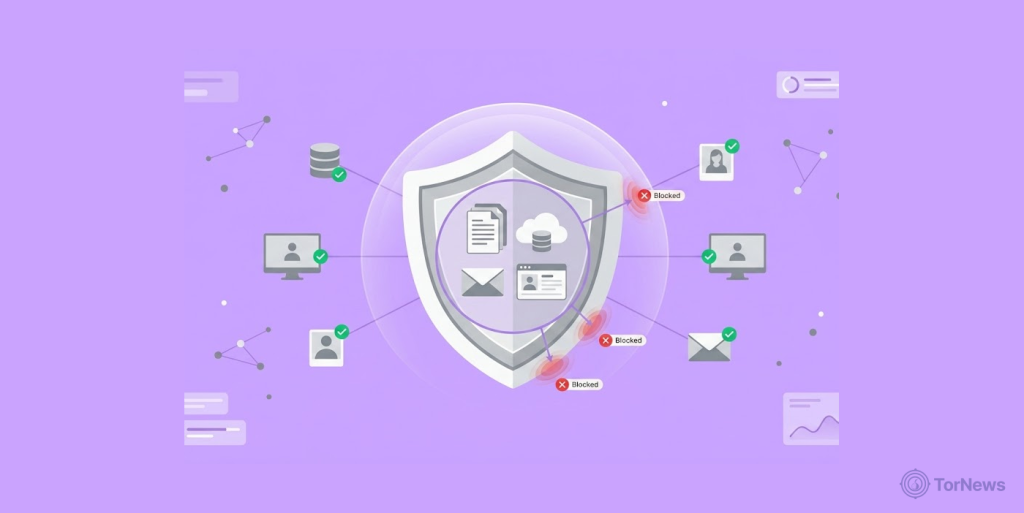
You might say that you have firewalls, antivirus software, and strong passwords, so isn’t that enough? The answer is: No, data leaks are completely different from external attacks. They often don’t involve someone breaking in; they involve someone accidentally letting something out.
Here is why DLP is essential and not just a nice thing to have:
The Cost of a Data Leak is Higher Than You Think
When you have exposed or leaked sensitive data, in the end and over time, the ultimate impact on your organization will be beyond the initial data breach itself. Your organization may face large regulatory fines (e.g., GDPR fines are up to 4% of your company’s total annual revenue, depending on the severity of the breach).
In addition to facing regulatory fines, you will incur legal expenses from the customers and partners impacted by the event. Costs will include investigations, forensic analysis, and cleaning up.
The quantification of brand damage, loss of customer trust, and the creation of doubt in vendor partners will be difficult to measure. However, you will certainly be able to feel the effects. Overall, your business could take a hit that could take years to recover from.
According to IBM’s annual cost of a data breach report, the average cost of a data breach has now exceeded 4 million dollars. Many of these breaches occur from relatively simple data leaks such as misconfigured cloud storage, email sent to the wrong person, lost unencrypted laptop, etc.
The numbers aren’t just statistics. Figure Technology Solutions recently confirmed a data breach impacting nearly 1 million customers, a real-world example of how devastating data leaks can be for both companies and the individuals whose information is exposed.
Data is Now Everywhere
In the past, businesses had all their sensitive information within one server, which was stored in a secure environment. In today’s world, data is being created and shared everywhere. Employees are working remotely on a public WiFi, a favorite source for hackers to steal information.
They use devices to store information in a cloud-based environment, share email and collaboration tools, and access data at all hours of the day or night. The distributed nature of today’s workforce and world means that there is an increased number of opportunities for your company to experience data theft.
For example, a salesperson uploading a customer list to a free file-sharing service, a developer checking code into GitHub without having any hardcoded credentials, and/or an executive forwarding a document to their personal email to work on it after hours. If you do not have DLP in place, you will not have any visibility into these types of activities.
Regulators are Watching
Data protection law is getting tougher. There are governments in Europe creating laws such as GDPR to secure data. California Consumer Privacy Act (CCPA), HIPAA for healthcare, and PCI-DSS apply if you process payment information for a business.
Each of these pieces of legislation is not only going to put a burden on your company to secure data, but they also require you to prove that you are securing that data. They require you to alert authorities within 72 hours of discovering a data breach of someone’s privacy, and they will fine you for not doing so.
DLP solutions provide you with the compliance requirements of these regulations, with audit logging to provide evidence of your monitoring.
Customers are Expecting It
A simple fact is that people trust you when they provide you with their information. When a customer gives you their credit card, home address, and health history, they trust you to keep it safe for them. A data breach makes them lose that trust. And once that trust is broken, it’s very difficult for you to gain back.
The importance of maintaining customer trust is evident in recent events. Alleged data breaches at Bumble and Match Group, platforms where users share deeply personal information, underscore why companies cannot afford to treat data protection as an afterthought.
Companies that spend money on protecting against data breaches send a strong message to their customers that they care about their customers’ privacy. In today’s world of frequent data breaches and news about them, this message is very important.
Types of Data Leak Protection?
DLP is not just a single tool you install in one place. It’s a family of technologies that monitor and protect data wherever it lives and moves. Different forms of DLP address different parts of your environment. Most organizations need a combination to achieve complete coverage.
Email DLP Solutions
The most common way data leaves organizations is both legitimately and accidentally. Its solutions typically act as gateways and “scan every email prior to it being sent out to determine whether there is sensitive content they contain.”
How email DLP works:
- Inbound and outbound emails are scanned in real time.
- Each email is examined to detect whether it contains patterns such as credit card numbers, Social Security (SS) numbers, or confidential document markers.
- Policies will define what action you should take when an email contains sensitive content. These include allow, block, quarantine, encrypt, or forward for approval.
- Some solutions can also strip sensitive attachments and replace them with secure links.
Email DLP catches the classic mistake: an employee attaching the wrong file or including sensitive data in the body of a message. Also, it identifies more sophisticated methods for transferring or sending data to one’s personal email account or cloud storage provider.
For organizations that are subject to regulations (such as HIPAA or GDPR), email DLP also provides an audit log to verify that you comply by showing regulators that you are actively monitoring and controlling the distribution of sensitive information.
Network DLP Technologies
The technological advancements in data loss prevention (DLP) networks allow for monitoring all types of data on your network, including web traffic, file transfers, and other protocols. The DLP network stays at points on your network where data leaves your organization.
What network DLP watches:
- Web uploads, uploading files to webmail, cloud storage, or third-party file-sharing sites.
- FTP and SFTP transfers.
- HTTP and HTTPS traffic.
- Instant messaging and collaboration tools.
- Print jobs are sent to network printers.
When the DLP network detects sensitive data in motion, it can:
- Stop the transfer of sensitive data.
- Alert security personnel of the attempted transfer of sensitive data.
- Log the sensitive data for later investigation.
The most significant advantage of the DLP network is visibility over the data, leaving your organization, regardless of the application used to create or transmit it, and the protocol used to transmit it.
The challenge with network DLP is encryption. More traffic is encrypted every year, making it harder to inspect content. Modern network DLP solutions integrate with SSL/TLS decryption capabilities to maintain visibility while preserving security.
Endpoint DLP Security
The endpoint DLP focuses on the devices where users are actually working, e.g., laptops, desktops, and sometimes mobile devices and how data is handled on the device; not just how it leaves the network.
Endpoint DLP monitors actions like:
- Copying files to a USB drive or an external storage device.
- Burning data to a CD/DVD.
- Printing documents.
- Taking screenshots
- Copying and pasting between applications.
- Saving files to local folders versus approved network locations.
This form of DLP catches leaks that never touch the network. An employee copying sensitive files to a USB drive and walking out with them won’t trigger network DLP, but endpoint DLP sees it.
It also provides visibility when devices are offline. When a laptop is on an airplane, it is unable to send any data back to the system for monitoring. However, the DLP software keeps monitoring and will report any local activity that takes place once it reconnects to the internet.
Many organizations now implement a combination of Endpoint DLP (Data Loss Prevention) and Endpoint Detection and Response (EDR) solutions, allowing for an exchange of information about the device or user’s behavior as well as details about the device’s context.
Cloud DLP
As organizations continue migrating to cloud applications, traditional DLP methods are becoming less effective at protecting corporate data from exposure. Cloud DLP understands the need to support this migration by integrating directly with cloud platforms and services to provide a mechanism for monitoring and protecting corporate data.
Cloud DLP covers:
- SaaS applications: Cloud DLP enables the monitoring of data located in Microsoft 365, Google Workspace, Salesforce, and other cloud applications.
- IaaS/PaaS environments: Cloud DLP enables the scanning of data stored in cloud-based storage buckets, databases, and compute resources.
- Cloud Security Broker (CASB): CASB is a type of cloud access security broker that acts as an intermediary between users and cloud providers to allow for the enforcement of data security policies.
It can address the increasingly urgent issue of misconfigured cloud storage. Amazon S3 buckets, Google Cloud Storage containers, and Azure Blob storage are often misconfigured, resulting in widespread open access and exposing large volumes of private data, ranging from gigabytes to terabytes, to the general public. Cloud DLP discovers these misconfigurations and alerts before attackers do.
It also addresses shadow IT, employees using unauthorized cloud services without IT’s knowledge. By monitoring traffic to cloud applications, cloud DLP helps identify where data is actually going and whether those destinations are safe.
Integrated Approaches
Many organizations must have collective forms of DLP. An integrated approach to DLP includes monitoring email, network, endpoint, and the cloud to give an organization an overall view of its DLP activity.
Benefits of this integration:
- Uniform DLP policies: One set of rules for every DLP channel versus multiple or conflicting rules per DLP channel.
- Centralized management: Generate, monitor, and report DLP from a single console for all channels and devices.
- Correlated alerts: Views of activity across multiple channels will provide the complete picture of how DLP activity occurred.
- Reduced complexity: Fewer vendor solutions, fewer integrations, and reduced headaches.
Many vendors that provide DLP are now providing “suites” (packages) that include multiple forms of DLP. Additionally, most of the significant security vendors, Microsoft, Symantec, and Forcepoint, have built DLP within their overall collection of security products.
The proper combination of DLPs depends on the size, type of organization, and the risk profile associated with DLP activity. The DLP needs for a health mentor who handles patient medical records will differ from the DLP required for a factory that needs to protect its manufacturing process. But for any organization with sensitive data, some combination of these DLP forms is essential.
The Main Causes of Data Leaks
You will know how to keep data secure against leaks by understanding the sources of the leaks. These leaks don’t need to be highly publicized like those that happen through theft. Most of them occur under the following three categories, exhibiting symbiotic characteristics, and therefore, their prevention strategies often overlap as well.
Accidental Data Leaks
Human error is the primary contributor to accidental data leaks; unfortunately, every human on this planet will continue to make errors for as long as there is life.
For instance, when an employee accidentally sends the wrong attachment with an email. Or a worker creates a publicly accessible cloud storage bucket, but he intended to create one that is private. Or a worker saves confidential information on their laptop’s desktop, but before removing it, takes it to a repair facility.
These leaks (incidents) are never intentional; they simply are the result of an individual failing to follow a specific procedure or protocol. They’re honest mistakes. But they expose data just as effectively as any attack.
The challenge with accidental leaks is that traditional security tools often miss them. Firewalls don’t block an employee’s email; that’s legitimate business communication. Antivirus programs cannot identify a cloud bucket with poor configuration; this is not a virus.
DLP solutions solve this problem by looking at the actions performed upon the data itself, rather than focusing solely on those individuals gaining access to the data.
Insider Threats
This is a growing concern for many organizations. Not all data lost is as a result of an accident; some is at their own will.
Insider threats can come from any individual with access rights to organizational data. For example, an angry employee planning to leave the organization may copy the organization’s customer list to a USB stick, with plans to give it to their competitors, before providing the former employer with a two-week resignation notice.
Similarly, an employee may receive a bribe from a competitor to exfiltrate confidential company data. Lastly, it is conceivable that an employee who believes they are acting in the best interest of the organization to bypass security controls, and ultimately allow for the unintentional exposure of company data.
Insider threats are difficult to identify because the individual(s) who commit the act usually have proper authorization to access the information. Unlike external threats that attempt to “break in” or “hack” into a company’s environment, those people are using credentials the company assigned to them.
DLP solutions work in determining an individual’s “normal” behavior, thereby flagging “anomalies” (e.g., a marketing employee downloading thousands of customer records or copying financial documents to a USB drive at 2 a.m.) as potential insider threats that the company should investigate further.
Malicious Attacks
These attacks can damage systems and data leak detection functions when the target is specific. Some examples of this type of attack may be phishing scams that trick people into reporting their passwords, gangs of ransomware that encrypt all files of a user until they pay a ransom for the key.
Also, hackers using vulnerability in web applications to access databases, and those who distort the supply chain by hacking a trusted vendor to gain access to customer data.
These exploits sometimes appear on underground markets. A WhatsApp crash exploit was allegedly being sold on the dark web for just $30, a reminder that attackers can acquire powerful tools for very little money.
Malicious attacks are fewer in number compared to accidental leaks, but they can cause much more financial harm due to the manner in which the hackers systematically access and take everything possible from your system, versus a single email sent mistakenly.
The use of DLP is critical to managing access to your systems, but it is just one piece of your overall security strategy, you will also need Firewalls, Endpoint Protection, and Restricted Access to prevent malicious activity from ever occurring on your systems. If the hackers can gain access, DLP will protect your confidential data from theft.
Importance of Data Leak Prevention for Mobile Applications
If you own a smartphone, you probably have a large number of installed applications on it. These applications include banking, email, text messaging, shopping, fitness tracking, and anything else that you might use each day that contains private or sensitive information. You may be wondering why these applications are dangerous. Well, you will know soon.
Consider your applications as though they were leaky buckets, spilling information onto the ground without you even realizing they do. Not only is this not a hypothetical example, but it is also an everyday occurrence and occurs more frequently than ever.
Why Mobile Apps are Different
Unlike desktop apps, mobile apps have a different set of risk factors that cannot be found with traditional desktop applications.
- They are operating within an untrusted environment: The devices can be lost, stolen, compromised, or infected, and the vendor has no way of controlling the environment in which the app runs.
- Mobile applications can suffer reverse-engineering easily: Anyone can download your app, decompile it, and access its contents. Hard-coded secrets will become public knowledge very quickly.
- Mobile applications rely heavily on cloud-based services: Over 62% of mobile applications leverage Cloud APIs or SDKs. This means that for every cloud service that is connected, there is a potential to expose users’ data.
- They are very likely to contain lots of third-party code: On average, a mobile application may have as much as 90% of its code coming from third-party sources (SDK’s, libraries, analytics). You are putting your trust in someone you do not know with your data.
Real-World Examples of Mobile App Leaks
Every month, there are new reports of app leakage, not just hypothetical examples of what could happen when an organization’s app leaks data. Here are just a few:
- The “Tea” app was marketed to women as a safe place where they could share their dating experiences with each other, but had every user’s data exposed on an unsecured Google Firebase database. Users could find their selfies, driver’s license, private chats, etc., through a hack.
- One auto manufacturer exposed 260,000 customer records due to a simple cloud misconfiguration/error.
- Researchers discovered 416 hard-coded access keys across multiple types of applications (i.e., AWS keys, payment processing tokens, etc.) – within over 10,331 distinct applications and numerous programming languages.
- An application for mobile banking was released to customers, containing the complete source code directory of Swift source files from the mobile banking application. Because of this, all of the underlying code, secrets, and intellectual property were public and extractable.
What Actually Leaks from Mobile Apps
The list of exposed data types is terrifying:
- Authentication tokens and session identifiers
- API keys and cloud credentials
- An individual’s username and password
- Personal identifiable information, PII, names, addresses, phone numbers
- Financial information and payment details
- Location data and behavioral patterns
- Source code and intellectual property
The Third-Party SDK Problem
Here’s the scary truth: Even if you have a perfectly coded app, the SDKs you installed with your code run the risk of leaking sensitive information. For many reasons, analytics SDKs, advertising networks, and development tools exhibit the following:
- Collect device identifiers and location data without clear consent.
- Transmit data to servers outside your jurisdiction.
- Download additional code at runtime, changing behavior after approval.
- Capture keystrokes and screen recordings for “user experience analysis,” including passwords.
Why Traditional Security Misses Mobile Leaks
Your firewall won’t catch a misconfigured cloud bucket. Antivirus software doesn’t identify hard-coded AWS keys. Mobile Device Management (MDM) software focuses on managing devices, not analyzing application behavior. Traditional security methods are built for traditional environments. Mobile apps need mobile-specific protection.
Data Leak Prevention vs. Data Loss Protection: Differences
It is common for people to use the terms “data leak prevention (DLP)” and “data loss prevention (also DLP, the same acronym)” interchangeably, or even erroneously, causing much confusion about what is really important. The two processes, while related to each other, are ultimately distinct and require different approaches to successfully acquire the proper tools for the right strategy.
What is Data Leak Prevention?
The focus of data leak prevention is preventing unauthorized transfer of sensitive data outside of your organization via methods that violate policy. It prevents your data from leaving the organization when it shouldn’t.
Think about data leak prevention as having a security guard at the door of your facility, checking to make sure that no one leaves with any items they should not have (customer lists, financial records, trade secrets, etc).
Examples of what data leak prevention catches:
- An employee emails a spreadsheet of customer data to their personal Gmail account.
- A contractor is uploading confidential files to an unauthorized cloud storage service.
- Malware attempts to siphon data from your network to an external server.
- A misconfigured database exposing sensitive records to the public internet.
Data Leak Prevention works as a form of proactivity. It protects and enforces rules about how and where data, whether it is moving, inactive, or in-use data.
What is Data Loss Prevention?
Data loss prevention considers a more holistic picture of the situation. It concentrates on where data is made unavailable, corrupted, or destroyed through theft, accidental deletion/loss, and technical failure. Data loss prevention takes into consideration both data availability and data integrity, as opposed to only data confidentiality, like Data Leak Prevention.
The exit guard is still there; however, there is now somebody monitoring to ensure the building doesn’t burn down, that the files are backed up, and that the hard drives do not crash.
Data Loss Prevention handles the following:
- A ransomware attack that encrypts files and renders them totally unusable.
- An accidental deletion of critical records, with no backup.
- A hardware failure that corrupts a database.
- Natural disasters are destroying physical infrastructure.
In general, Data Loss Prevention provides several protections designed to enable a business to continue operating when a catastrophe occurs (i.e., disasters such as fires, floods, and acts of terrorism) and/or something occurs to disrupt a company’s ability to operate.
That is not to say that a company will never lose data; rather, it is simply to say that in the event of a disaster, the company will at least have the capability of restoring all of its data at some future time.
Why the Confusion?
The acronym problem doesn’t help. Both “data leak prevention” and “data loss prevention” are commonly shortened to DLP. Vendors and analysts often use the same term for both concepts, leaving buyers unsure what they’re actually getting.
Some vendors lean into the ambiguity, marketing their products as addressing both, which they sometimes do. A modern DLP solution might monitor for unauthorized transfers and help with data backup and recovery. But they have different capabilities, solving different problems.
Which One Matters More?
You need both. If a company can stop all data leaks from occurring, but has no backups, a ransomware attack can still ruin the efforts. If there are attackers who encrypt your files, making them inaccessible to you, it doesn’t matter that the attackers did not steal your files; you cannot work. Your data is gone.
Conversely, a company with perfect backups but no leak prevention will find its trade secrets on competitor websites and its customer data for sale on the dark web. Availability doesn’t help if confidentiality is shattered.
A Simple Way to Remember It
| Data leak prevention | Data loss prevention | |
|---|---|---|
| Focus | Confidentiality | Availability |
| Threat | Unauthorized transfer | Data destruction or corruption |
| Goal | Keep data from leaving | Keep data from being lost |
| Example | Block email to personal account | Restore from backup after a crash |
| Acronym | DLP | Also DLP |
In the real world, if you were to see the term DLP in a product’s marketing material, it would most likely mean data leak prevention tools, i.e., tools that prevent unauthorized or illegitimate movement of an organization’s data. But always check what a vendor actually means. Let your plans address both sides of the equation.
What are the Core Components of a Data Leak Prevention Strategy?
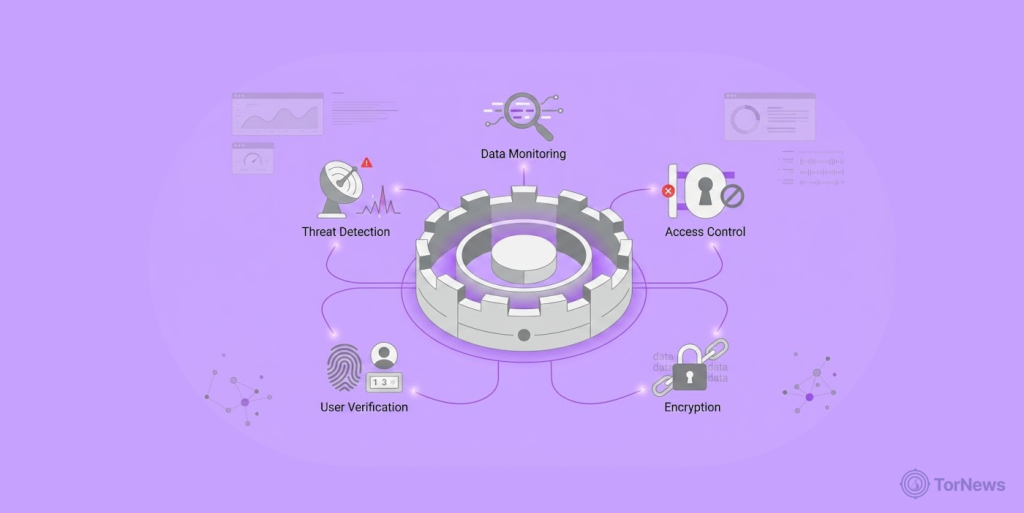
The program for preventing data leaks isn’t a matter of just obtaining one tool; then you are done. It requires a comprehensive solution for building the program utilizing multiple areas.
All components of a successful DLP strategy have:
Data Discovery and Classification
Before you can protect data, you must understand what it is. A key component of a DLP program is determining where data is located within your organization and how sensitive that information is.
Data discovery includes finding any location where there is sensitive information, such as servers, cloud storage, endpoints, e-mail, and databases. You might be surprised what turns up. Old spreadsheets with customer data sitting on forgotten file shares. Developer laptops with production database credentials. Archived emails containing trade secrets.
Data classification is the process of labeling data based on its sensitivity. Common categories include:
- Public: Information that can be freely shared (marketing materials, press releases)
- Internal: Includes data that is used internally, but is not classified as highly sensitive. Examples: Employee directories, internal policies.
- Confidential: Contains sensitive data that could be harmful if it comes out in the open carelessly. Examples include customer information, financial records, etc.
- Restricted: Contains sensitive data that must follow strict access control procedures; examples: Trade secrets, classified information.
There are ways to classify data: manually by data owners, automatically using tools, or a combination of both processes.
After identifying and classifying data, you can apply the appropriate controls. A public marketing deck doesn’t need the same protection as a spreadsheet with customer payment details.
Policy Creation and Enforcement
DLP is fundamentally about policy. You decide what’s allowed and what’s not. Then you configure your tools to enforce those rules.
Effective policies are:
- Be specific: “Credit card numbers should not be sent via email” is much clearer than “Do not transmit financial data.”
- Be based on risk: Address your highest risk data first.
- Be practical: If you maintain very restrictive policies, then employees will find ways to circumvent them.
- Be communicated: People need to know there are policies and why they exist.
Policies typically address questions like:
- Who can access certain types of data?
- Where can data be stored? (Approved cloud services vs. personal drives)
- How can data be transmitted? (Encrypted email only, no personal accounts)
- What actions trigger alerts or blocks? (Large downloads, unusual access patterns)
Enforcement can go from just watching and sending alerts (passive steps) to actually stopping violations active steps. Most organizations begin with monitoring to determine the exposure to potential risk, and gradually move towards blocking as their policies become more mature.
User Education and Awareness
Here is the hard truth that most vendors fail to emphasize: A majority of data leaks result from an employee making a mistake rather than a tool failure. Someone who finds DLP controls annoying will look for workarounds.
Also, employees who have never received any protective training may not even recognize a phishing attempt when they see it. Therefore, user education should be an integral part of any DLP plan, rather than an optional part.
To accomplish an effective training program, you should:
- Tell employees why protecting confidential information is important, not just the rules.
- Provide examples of why leaks occurred and what the impacts are, to protect from a similar incident.
- Conduct training at different intervals (not just as part of new employee orientation).
- Test understanding through simulations and assessments.
- Create channels for asking questions and reporting concerns.
When workers know that Data Loss Prevention helps them, their coworkers, and the image of the company, they’re more likely to help out instead of causing problems.
Technical Controls and Tools
Most people think of DLP as software that prevents or allows the transfer of data through tracking and/or monitoring methods.
Below are the types of controls that exist within DLP:
- Email DLP: Detects sensitive content of outgoing communication (email) and, depending on the settings, can do one of three things: block (prevent occurrence), quarantine (keep from being delivered), or encrypt (make less readable).
- Network DLP: Monitors all data transferred from your network to the internet via web-based services (websites), FTP, etc.
- Endpoint DLP: Provides visibility to data activity occurring on devices; USB copying, printing, saving to the local file system, etc.
- Cloud DLP: Integrates with cloud software and provides visibility to data stored within those applications.
- Data Discovery Tools: Search and categorize sensitive data within your environment.
DLP technologies have rules that define how to classify data based on its content, whether the information is confidential/sensitive, the contextual relationship of the data with its source, whether the information was obtained legitimately, and the method in which the data is sent, Secure FTP vs. electronic mail.
For example, if a person sends a credit card number through encrypted email data in motion to an established/unknown business colleague, there would not be an issue. However, if that same individual uploaded a credit card number (data at rest) to their personal Dropbox account, an alert would be triggered, and possible further actions would take place.
Incident Response and Remediation
DLP isn’t set-and-forget. When violations occur, you need clear processes for responding.
Incident response for data leaks typically involves:
- Triage: Is this a real violation or a false positive? How sensitive is the data involved?
- Containment: Stop the bleeding. Block the user, quarantine the email, take down the exposed asset.
- Inquiry: How did this incident occur? Was it accidental or malicious? How much data was exposed?
- Notification: Do we need to inform affected individuals? Regulators? Law enforcement?
- Remediation: What changes prevent this from happening again? Policy updates? Training? Tool configuration?
- Documentation: Record the action that took place, your responses, and all you learnt.
These steps, before any leak occurs, make a big difference between a controlled response and a chaotic approach.
Continuous Monitoring and Improvement
The last component of a successful DLP Program is that you are continually improving.
Threats evolve. Your organization changes. New data appears. Also, employees leave, and new ones start at your organization; you now have a different environment. You may have a DLP strategy in place from two years ago, but such a strategy will most likely have very large holes in it.
Continuous monitoring means:
- Reviewing DLP alerts regularly to spot trends
- Updating policies as business needs change
- Testing controls to ensure they still work
- Learning from incidents and near misses
- Staying abreast of the current requirements in the regulatory environment
This isn’t glamorous work. But it’s how you move from “we bought DLP software” to “we have a mature data protection program.”
What are the Elements of a Data Leak Protection Solution?
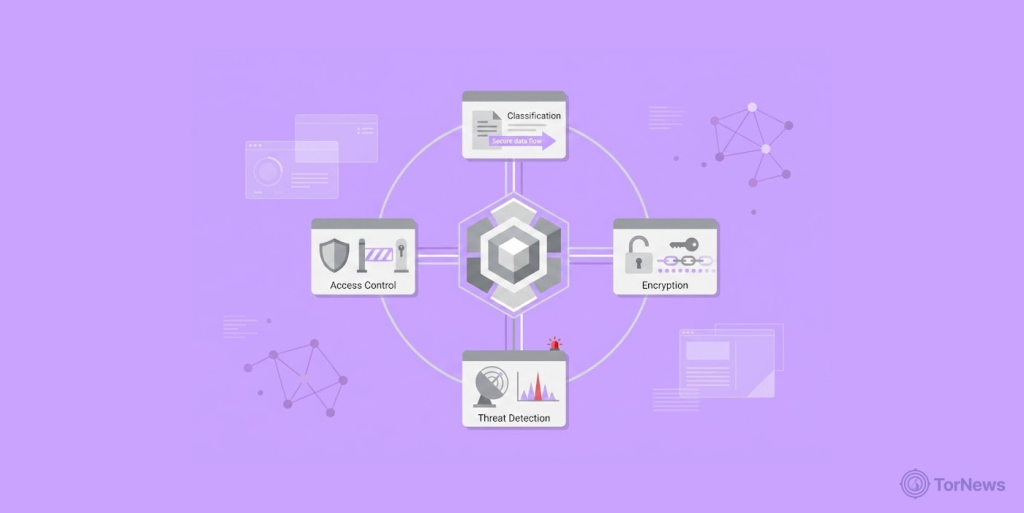
A comprehensive DLP strategy will track all types of data – even those at rest, in transit, and more. They also assess how data is being transmitted and by whom. Knowing these components demonstrates why a DLP solution is much more than simply a tool offering a content filter.
Data in Motion
Data in transit is information that is actively moving over a network. Specifically, data in transit includes sent e-mails, uploaded files, files being transferred over FTP, files being shared through instant messaging, and files being moved from one cloud application to another.
An analogy of data in transit would be the flow of water through pipes. The water is continuously in a state of motion; it is being transferred from one location to another, and thus can leak, just like data in transit can be tapped into, misdirected, or mistakenly sent to an incorrect addressee.
DLP solutions monitor data in motion by inspecting network traffic in real time. They look at:
- Email messages and attachments are leaving your organization
- Uploading of files to either web-based email services (Gmail/Yahoo) or file-sharing systems (Dropbox/Google Drive).
- Data sent via collaborative applications (Slack/Teams/Zoom)
- Web traffic to external sites
- File transfers to a remote server through FTP or other protocols
If a DLP solution detects sensitive files in transit, it can automatically take action such as block the transfer, encrypt the file transfer, or alert someone for further investigation.
The challenge with monitoring data in motion is encryption. More traffic is encrypted every year, making inspection harder. Modern DLP solutions integrate with SSL/TLS decryption capabilities to maintain visibility without breaking security.
Data on Endpoints
Data on endpoints refers to information stored on devices, such as laptops, desktops, mobile phones, tablets, and even USB drives. This is data at rest, but on devices that move and change constantly.
Endpoints are where people actually work. They create files, download attachments, save documents, and make local copies. This makes endpoints both essential and risky. A laptop could contain weeks or months of work; once lost or stolen, all that data could be exposed.
DLP solutions monitor data on endpoints by installing lightweight agents on devices. These agents track:
- Files saved to local drives
- Data copied to USB devices or external storage
- Documents printed to local or network printers
- Screenshots taken
- Files moved to unauthorized locations
Data at Rest
This is any information stored in durable places, including servers, databases, file shares, cloud storage, backups, and archives. It represents details that are not currently moving or being directly utilized but are still physically present.
Data at rest comprises accumulated history. You just need to mention your repositories to find your previous customer records, financial records, intellectual property, and employee records. Because stored data is often not moving, it is easy to overlook, making it vulnerable.
You can use DLP solutions to find and monitor stored data locations by scanning the storage locations. Some examples of what DLP will look for include:
- Sensitive files are stored in unsecured locations.
- Cloud storage buckets that have been incorrectly configured and exposed to the public.
- Databases that contain personally identifiable information that do not have adequate controls.
- Old files that should have been deleted, but were not.
- Multiple copies of sensitive data are stored in numerous locations.
Once DLP finds stored data that is at risk or unprotected, it can take action to remediate it, including moving the files to a secure place, applying encryption, notifying the owners of the data, and initiating DLP workflows, causing the data to be prevented from being lost.
Monitoring data that is resting is key due to regulations like GDPR and HIPAA that require organizations to have knowledge regarding the location of sensitive data and that they meet adequate levels of both protection and visibility provided through the use of regular scanning. Regular scans provide that visibility.
Data in Use
Data in use is the trickiest element to protect. This is data that is currently being accessed, viewed, edited, or processed, active data that someone is working with right now.
Consider the data in use as water a person poured from one cup to another. It does not sit still, and it does not just move through pipes. It’s in transition between states; the person handling it may or may not follow the rules.
DLP solutions monitor data in use by watching application behavior and user interactions. They track:
- Copy-paste operations between applications.
- Screen captures and recording attempts.
- File edits and saves.
- Application access patterns.
- Unusual data access (like a marketing person suddenly viewing engineering files).
This is where DLP gets closest to user behavior monitoring. It’s not just about what data is or where it’s going; it’s about what people are actually doing with it right now.
Data in use monitoring helps detect:
- Insider threats attempting to steal data.
- Accidental mishandling by well-meaning employees.
- Malware that’s actively accessing files.
- Policy violations that happen during normal work.
One of the issues when monitoring data in use is ensuring employee privacy. Monitoring what a user does with data can lead to some level of legitimate concern from employees.
There needs to be a fair balance between security and the employees’ privacy. Keep the focus on high-risk behavior, not a blanket approach to overall data surveillance.
Benefits of Data Leak Protection
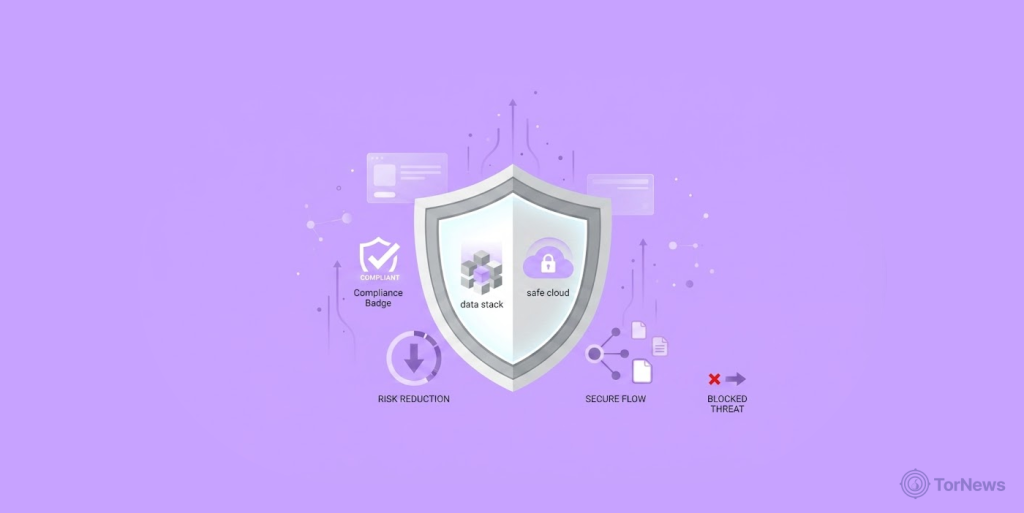
Investing in data leak protection prevents negative outcomes and also enhances how your organization works. When implemented properly, DLP provides tangible benefits related directly to the security, compliance of your data, and operating efficiencies of your business.
1. Block Potentially Malicious Activity
The key benefit is the most impactful; DLP helps to keep sensitive data from potentially going to places where it doesn’t belong.
When DLP fails, the results can be devastating. A hacker has claimed to expose Radius Global Solutions customer data on the dark web, a stark reminder that once sensitive information leaves your organization’s control, it can end up for sale to identity thieves and fraudsters.
A majority of the threats that DLP addresses are obvious, such as malware attempting to extract data from your organization, as well as malicious actions key members of your organization may take to steal customers’ records.
DLP also addresses less obvious areas of business, such as employees who exhibit no malicious intent, but simply aren’t mindful of operating procedures, contractors that don’t understand your data leak prevention policies, and business partners who use shared data in a manner not in accordance with your written agreements/terms of service.
For example, DLP can block an employee from sending credit card numbers (personal data) to his/her personal email address, which is a violation of company policy. Or stop a developer from pulling his/her source code to a public GitHub repository public sharing of non-public source code. Or detect a misconfigured cloud bucket before hackers can exploit it.
Over time, when you do all the right things to protect yourself and your organization, it leads to less risk. You’re not just hoping for the best, you’re proactively helping to make sure that there is no negative impact.
2. Ensure Regulatory Compliance
Regulatory frameworks continue to strengthen and come with penalties that continue to increase. The penalties for non-compliance with GDPR can result in fines of up to 4% of the company’s total revenue, and with HIPAA regulations, it can amount to a maximum of $1,500,000 annually. PCI-DSS non-compliance can mean losing the ability to process credit cards entirely.
DLP helps you meet regulatory requirements in several ways:
- Demonstrating due diligence: Your regulators want to see that you have taken significant steps to ensure the protection of sensitive data. DLP provides evidence of monitoring, policies, and controls. When auditors ask, “How do you prevent data leaks?”, you have answers.
- Enforcing geographic restrictions: Some jurisdictions require compliance with geographical data restrictions. DLP can block the transfer of sensitive information to unauthorized jurisdictions and can require the encryption of sensitive data before moving across jurisdictions.
- Protecting specific data types: Regulations focus on specific categories, such as health information, payment data, and personal identifiable information. DLP is built to identify and protect exactly these types.
- Providing audit trails: If there is an incident, the regulator will want to know what happened, who was involved, and what actions were taken. DLP logs provide an electronic record of every access to sensitive data; this creates a detailed audit trail for use by investigators and regulators to perform the review of incidents.
DLP also allows multi-regulation compliance organizations (for example, hospitals that take credit cards) to have a single solution that will meet multiple regulators’ requirements. This prevents multi-regulation organizations from managing separate controls for each regulation.
3. Improve Visibility
Before DLP, many organizations had surprisingly little visibility into where their sensitive data actually lives and how it moves. They know they have customer data somewhere, but they couldn’t tell you exactly where.
DLP changes this through continuous discovery and monitoring:
- Data mapping: DLP scans your data so that you can see where it is stored. As a by-product of this scanning, you are sure of the discovery of sensitive data storage locations that you didn’t know existed, such as old backups, obsolete file shares, and employees’ laptop systems, where an employee accumulated a considerable amount of data for years. This visibility alone is valuable, even before you take action.
- Usage patterns: DLP shows who’s accessing sensitive data, when, and from where. This helps identify normal patterns so anomalies stand out. When a marketing person suddenly starts downloading engineering files, you notice.
- Policy effectiveness: DLP metrics show whether your controls are actually working. Are blocks increasing or decreasing? Which policies trigger most often? Which users generate the most alerts? This data guides improvements over time.
- Risk assessment: By having complete visibility, you can assess your risk with greater accuracy. You will have an understanding of what data exists, its location, how it moves, and who has access to it. This allows security to be based on empirical data rather than on guesses.
For security leaders, this visibility is transformative. Instead of flying blind, you have a dashboard showing where your organization stands and what needs attention next.
What are DLP Best Practices
Knowing what DLP is and how it works is one thing. Actually implementing it effectively is another. By following these best practice guidelines drawn from organizations that have successfully built a mature data protection program, you can avoid common dangers and receive great value from your investments.
1. Classify Data
You can only protect what you understand. Data classification is the foundation of any effective DLP program. Start by defining categories for your data based on sensitivity. Most organizations use a simple framework:
- Public: Information that can be freely shared with anyone
- Internal: Data meant for internal use only but not highly sensitive
- Confidential: Any data that could cause harm if exposed
- Restricted: Any data that is very sensitive and will have strict handling requirements
Once categories are defined, you need to actually classify your data. This can happen in several ways:
- Manual classification: Data owners label files based on their judgment. This is most accurate but relies on people following through.
- Automated classification: DLP tools scan content and apply labels based on patterns, keywords, and context. This is consistent but may miss nuance.
- User Prompts: If the user creates a file in the system, it prompts the user to describe the file (what it is) when they save it. This can be somewhat frustrating for users if they happen to be very frequently prompted for the classification.
However, many mature DLP programs have successfully used combinations of both manual and automation to classify data. The automated systems should handle the majority of the classification (heavy duty), and the end-users should be responsible for classifying the most important documents.
Classification is not a one-time exercise. As new data is created and old data changes, classification needs to be maintained. Build processes for ongoing classification rather than assuming it’s done forever.
2. Inventory Data
Classification tells you what data is sensitive. Inventory tells you where it lives. Data inventory means systematically identifying all locations where sensitive data is stored. This includes:
- File servers and network shares
- Cloud storage (S3 buckets, Azure Blob, Google Cloud Storage)
- Databases and data storages
- Archives of emails and mailboxes
- Employee laptops and endpoints
- Backup systems and archives
- Third-party SaaS applications
- Mobile devices
The inventory process often reveals surprises. Old customer databases sitting on forgotten servers. Spreadsheets with payroll data on employee desktops. Source code in public cloud buckets. These are certain risks that you need to identify before you can address them.
The features of modern DLP solutions include the automatic capability to discover large amounts of potential risks. They actively scan environments looking for sensitive information based on defined classification rules, and alert organizations regarding the location of this data.
With an available inventory, an organization is in a position to make more informed decisions about what type of data should be protected and where controls should be applied.
3. Deploy a Centralized Program
DLP becomes more effective when you manage it centrally rather than as disconnected point solutions. A centralized program means:
- Consistent policies: The same rules apply to email, web traffic, endpoints, and cloud storage. Data doesn’t get different treatment depending on how it’s moving.
- Unified visibility: One console shows alerts across all channels. You see the complete picture instead of fragmented views.
- Streamlined management: Policies are configured once and enforced everywhere. Changes roll out consistently.
- Integrated reporting: Compliance reports pull from all sources to save time and ensure report accuracy.
A centralized DLP solution is not a single vendor/single punitive tool, but many tools work together, sharing information to enforce the same set of policy rules. Most organizations prefer integrating a DLP solution into their existing security architecture.
Organizations that use different DLP tools based on various data types (e.g., email, internet, endpoint) create additional points of failure and administrative issues; as a result of this, some policy violations go unnoticed, alerts are missed, and the organization is at greater risk.
4. Conduct Security Awareness Training
There is one critical element that many vendors overlook (no single technology will stop data leaking/leaks). The front line in controlling and securing data is the employees who handle the data every day.
If they do not have an understanding/appreciation for the risks associated with sensitive data and the policies/procedures they must comply with to ensure the security of the sensitive data they access/manage, they will make an error regardless of how sophisticated or advanced your DLP solutions may be. Security awareness training turns employees from being a potential liability into being a data protection advocate.
An effective training program covers the following:
- Explains the “why”: Individuals comply better when they understand the reason behind the policy. It shows that an incident of data leak (slip/violation) is detrimental to their customers, company, and themselves; make it personal rather than abstract.
- Uses real-life examples: Provide employees with real-world anonymized examples of data leak incidents (how the incident occurred, how the incident was discovered, and the impact). Real stories stick better than generic warnings.
- Make it regular: You can’t depend on a single annual training session as your only means of reinforcement. Use other reinforcement options to boost key messages, such as newsletters, posters, team meetings, quick reminders, etc. Keep data protection a priority.
- Test understanding: Use phishing simulations and DLP test scenarios to see if training is working. When people make mistakes, use them as teaching opportunities rather than punishment occasions.
- Create reporting channels: Employees need a safe way to report mistakes or concerns. If someone accidentally sends sensitive data, they should feel able to report it immediately, not hide it in fear.
The most successful DLP programs treat employees as partners, not adversaries. When people understand and support what you’re trying to achieve, they become your strongest line of defense.
Conclusion
Data leak protection is more than just buying security software; it’s an ongoing strategy that combines technology, policies, and employee awareness. While tools like email DLP, endpoint monitoring, and cloud security solutions are important, they only work effectively when paired with clear data protection practices.
The best place to start is by understanding what data your organization stores, where it exists, and which information is most sensitive. From there, businesses should build policies around protecting critical and regulated data while regularly training employees on security best practices.
Cyber threats continue to evolve, which means DLP is never a one-time setup. Continuous monitoring, regular policy updates, and proactive security measures are essential for reducing risks. Businesses that take data protection seriously not only strengthen security but also build long-term trust with customers and partners.
The consequences of dark web-related violations can be severe. A UK offender faced multiple charges including dark web access, underscoring why organizations must prioritize data leak protection to prevent sensitive information from ending up in criminal marketplaces.
FAQs
Yes. Many DLP features are already included in platforms like Microsoft 365, Google Workspace, AWS, and Azure, making it affordable for small businesses to start protecting data.
You can start with regulated data like GDPR, HIPAA, or PCI-related information, then focus on sensitive business data such as trade secrets and customer information.
Not if implemented correctly. Modern DLP tools can monitor risky activity without interrupting normal workflows and daily operations.
Many companies install DLP tools without creating proper policies or training employees first, which often leads to confusion and excessive alerts. Therefore, it’s almost mandatory to train your employees if you want to avoid such consequences.
At a minimum, review them annually. To save your costs, quarterly reviews are better because business operations and cyber threats constantly evolve.
Yes. Advanced DLP systems can monitor mobile apps, detect exposed data, and identify security risks linked to cloud services or SDKs.