Google dorking is a powerful search technique that goes beyond simple queries, allowing users to find highly specific information using advanced operators in Google. Instead of relying on basic keywords, it helps uncover hidden or less visible data that typical searches might miss.
Often referred to as “Google hacking,” this method doesn’t require technical expertise, just an understanding of how search operators work. When used responsibly, Google dorking is a valuable tool for research, SEO analysis, and cybersecurity tasks, helping users locate exactly what they need with greater precision.
Here’s something most guides won’t tell you: while we call it “Google dorking,” these advanced search operators work almost identically on other search engines too. You can fire up privacy-focused alternatives like DuckDuckGo or even Google’s direct competitors like Bing, plug in the same queries, and get remarkably similar results (from those search engines).
The syntax for operators like site:, filetype:, and intitle: stays consistent across platforms, which means you’re not locked into Google’s ecosystem to practice this skill. DuckDuckGo even adds a layer of anonymity to your reconnaissance, making it a favorite among security researchers. So, don’t let the name fool you. This technique is far more universal than it sounds.
In this guide, we’ll break down everything you need to know about Google dorking, how it works, the techniques behind it, practical use cases, and why it’s a powerful tool for smarter and more precise searching.
What is Google Dorking, and is it Ethical or Unethical?
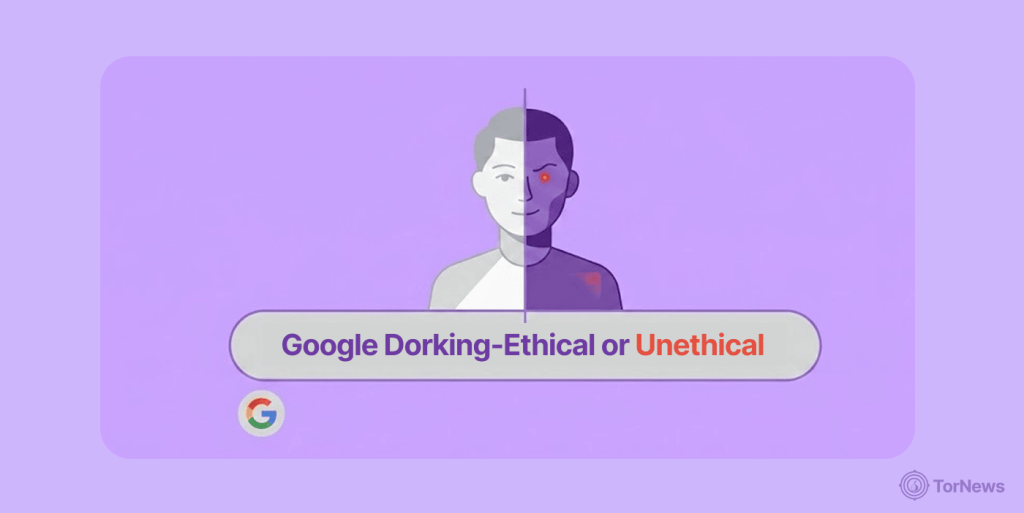
Google Dorking, or Google hacking as many call it, has to do with a search style that uses “advanced operators” in the Google search engine to find some specific information that won’t appear when you do a normal search.
In this type of search, you will use some types of commands and not just the keywords as we do on normal search. For instance, you can put in commands such as site, filetype, intitle, or inurl, to pick out the results you want precisely, instead of going round in circles.
So you can simply see Dorking as a way to bypass the Google algorithm to find information not available on the usual search engine results. The need for this is that the operators you put into the search engine will make it know the exact thing you want to find and where that same thing is located.
Let’s take an example of someone who wants to find academic material. Normally, the person will simply end the search on the university website. But if a developer wants to find something faster, which of course is hidden deeper, he might input a certain document format to get the precise thing he needs. Apart from that, when you use the advanced operators, you can uncover documents like Excel sheets, PDFs, etc., that relate to a particular interest.
This search method is not illegal or practised to harm anyone unless you’re not doing so with good intentions. The reason bad actors can exploit Google Dorking operators is that such deep searches also reveal some information that the owners mistakenly exposed like directories or files without proper protection.
In most cases, cybersecurity experts even use these mistakes to check for system vulnerabilities as a proactive step to avoid exploits. Understanding Google dorking helps researchers search more efficiently and better understand how online information is structured.
It is also helpful because it showcases the intricate designs of search engines and lays more emphasis on the need for both individuals and businesses to protect their data properly, as a negligible mistake can turn the ordinary Google search engine into a telescope for seeing sensitive private information.
How Does Google Dorking or Hacking Work?
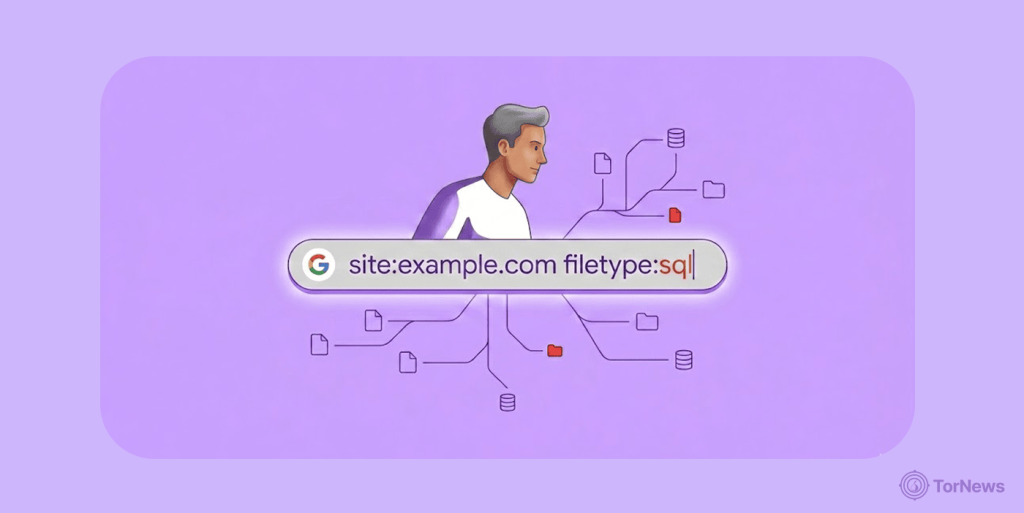
Google dorking works by using some “advanced search operators” that developers built into Google to streamline search or narrow down what you are looking for, so that the accuracy will be exact.
On a normal search, all you do is type a particular phrase into the Google search bar for the engine to scan billions of pages it has previously indexed to get you the results that are likely relevant to your query. It changes normal searching by using advanced operators that guide the search engine instead of relying on its default ranking system.
Every single operator you input stands as an instruction that guides the engine. For instance, if you type in filetype, you have told the algorithm to find a certain document format and something like site: tells it to go to a specific website, while adding quotation marks makes it match phrases exactly as you give.
Anyone who understands dorking can combine these commands to achieve maximum search results on highly targeted searches for information that is hidden very deep in any website, including Google dorking name search.
The reason these works is that search engines store structured data regarding webpages, such as metadata, contents, titles, and URLs. What operators do is to tap directly into the indexed fields to pick out the result a searcher is targeting without wasting any time. So if an expert crafts a query very well with these dorks, the exact page or file he wants to uncover will surface in seconds.
When it comes to who uses Google Dorking, anyone can. Individuals can use this strategy in conducting research. Also, cybersecurity experts also use this practice to check if there are loopholes or vulnerabilities in a system. People who do this are often called ethical or white hat hackers, and they work to find weaknesses before malicious attackers can exploit them.
The Dangers of Google Dorking, a Major Concern
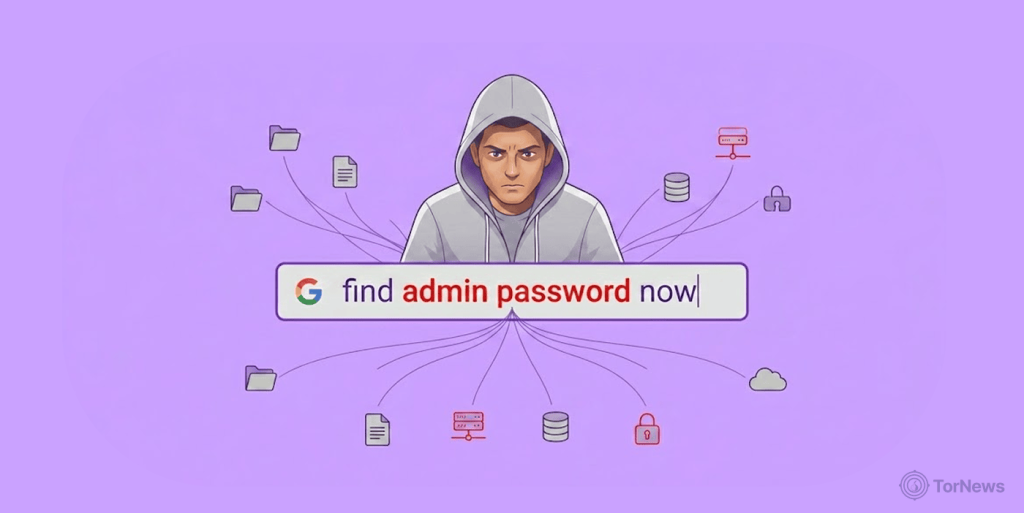
Unfortunately, black hat hackers manipulate Google for their own selfish interests. What they do is to find the same thing cybersecurity professionals search for, vulnerabilities of a target system. Once they lay their hands on any sensitive data or files that their targets didn’t secure properly, they’ll start using them maliciously.
The use of dorking to find hidden information kicked off in 2002 after a computer security expert, Jonny Long, practiced it. Notably, the web crawling capacity of the search engine facilitated it leading to a huge success. From then on, bad actors started using the same technique to uncover sensitive information on Google. Once the attackers utilize the appropriate dork query, they could uncover much information that an ordinary search won’t expose.
Some of the information they find through dorking includes:
- Email addresses
- Usernames and passwords
- PII (Personally Identifiable Information, which includes location, demographic, financial data, etc.
- Loopholes in websites
- Confidential documents
With such information available in the hands of attackers, businesses stand no chance of stopping them from exploiting their customers and employees.
Data from the UK Government website shows that 46% of small businesses operating in North America and 43% of businesses in the UK recorded cyberattack in 2025. The same report showed that larger businesses faced more of these attacks with numbers reaching 67% for medium-scale and 74% for large-scale enterprises.
So while the white hat or ethical hackers use the information they get about system loopholes to fix them, bad actors use them to carry out illegal dealings. Some of the things they perpetrated include cyberstalking, cybercrimes, industrial espionage, cyberterrorism, identity theft, etc.
Law enforcement and tech companies are fighting back against these malicious actors. Google recently sued Chinese hackers and pushed for new laws in the fight against scams, demonstrating that both private industry and government are taking aggressive legal action to disrupt cybercriminal networks that exploit vulnerabilities found through techniques like dorking and other reconnaissance methods.
How Unethical Hackers Manipulate Google Dorking
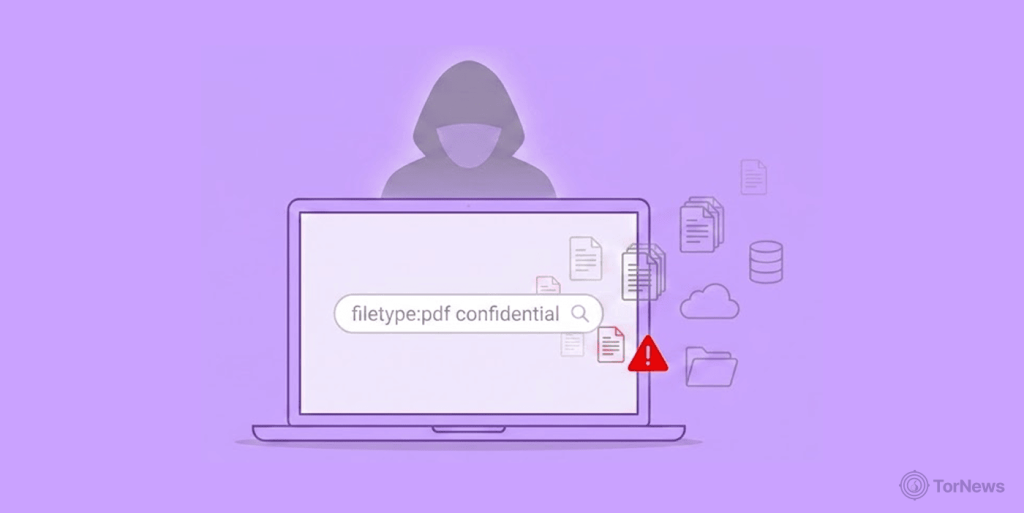
Apart from carrying out these illegal acts, hackers sometimes sell the information they uncover through dorking to criminals operating on the dark web markets for huge amounts of money.
Here are the ways or stages through which bad actors follow to steal personally identifiable information through Google Dorking name search, or for other items that can compromise a target’s safety online:
Stage 1: Reconnaissance
This is the first stage of the entire stealing process with Google Dorking. The hacker starts by collecting every piece of information available on Google about the target. It could be documents not meant for the public, passwords, usernames, and other things that the bad actors find. Other names for what happens at this stage are fingerprinting, passive recon or even footprinting.
This information is files that are online which the owners mistakenly exposed, and they could be PDF files where the target stored passwords, usernames, or even their webcams they accidentally left open over the internet.
Stage 2: Scanning
This is a stage where the black hat hacker has gathered a lot of data and will now scan it to find something of importance. These data could be PDFs, email lists, URLs, etc. The hacker can open and read the files, clean up the links or even use a special tool to scan everything for sensitive information.
Stage 3: Gaining Access into Systems
After the step above, the hacker might have found data on how to access a system, database, or even bypass firewalls, all to carry out an evil intention which might be to steal more sensitive information from the target.
The financial rewards from such access can be enormous. The US government recently seized $400 million from a darknet money launderer, revealing how cybercriminals convert stolen access and data into massive crypto fortunes that authorities are now learning to trace, follow, and confiscate.
Stage 4: Maintaining a Presence
Once a hacker successfully gains access to a system or network, he will move to establish a connection, whether temporary or permanent, so he can go back to the system whenever there’s a need.
Stage 5: Exit
After completing whatever terrible act of manipulation or espionage, the hacker will clear all footprints and leave the system or database so no one can link a compromise to him. To do that, the hacker will clear all logs and back doors that he used to penetrate the system.
Is Google Dorking illegal?
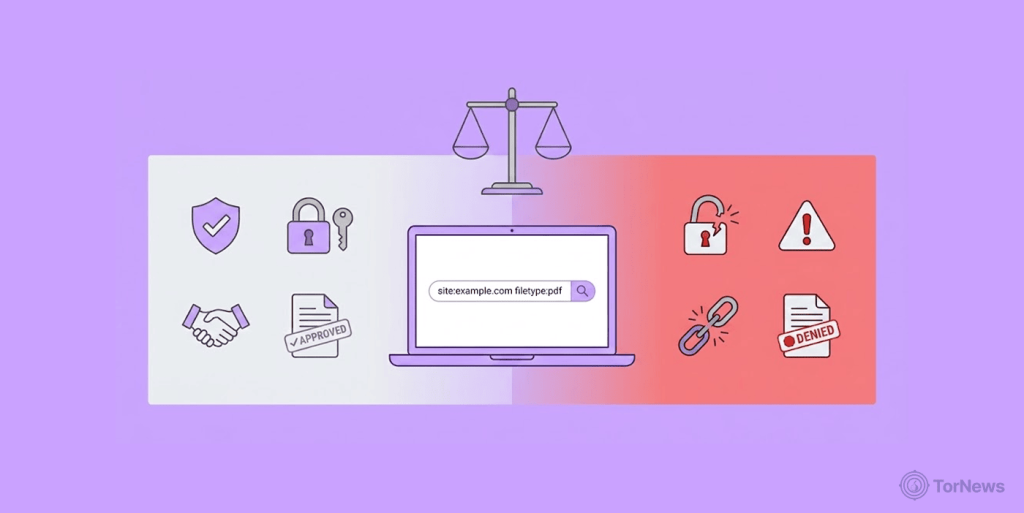
Whether you are searching for something to aid your research or simply doing a Google Dorking name search, it is imperative to know if you’re breaking the law innocently.
Well, truthfully, using Dork to search deeper for information that will help your research is not illegal. The issue with the law arises when you intend to harm others whose information you have lifted from Google.
Dorking is all about using advanced search operators to uncover information that is already available publicly. You are using Google’s indexing system, meaning that there is no unethical hacking or system break taking place.
All you’re doing is the search information with advanced search strings & operators which is of course what takes place in stage 1 above (reconnaissance). Students, journalists, researchers or even experts in cybersecurity use the act of dorking to find data easily or discover some vulnerabilities in a system and fix them.
So when all the above is the reason for Google dorking, you’re on the right side of the law. But if you discover sensitive data or files and download them, exploit the owners, or use that sensitive information without getting the owner’s consent, you have broken the law. That is, if you cross stage 1 above and continue from stage 2 to 5, you have broken the law.
Once you commit such a thing, you will face the penalties from all those laws in place to check unauthorized access, support cybersecurity, and ensure data privacy.
Google Dorking Queries: What They Mean and Examples

If you are going to do Google dorking for the first time, it’ll help a lot to know some of the dork queries and what they mean to make things easier for you. By that, you can find the specific information you need and easily filter out the ones that are not relevant.
Let’s say you want to do SERP analysis for a topic, you can use some queries such as filetype, allintitile, inurl, etc. It will help you develop the right content strategy on the topic you want to explore. Now let’s go ahead with some of the common queries you can use, their function, how to use them effectively and the results you can get.
1. Intext
This Dork query command enables you to find webpages or sites that have the target search term in their texts. Intext comes in handy when SEO professionals are searching for competitors’ pages using a specific keyword they may want to rank for on Google. To achieve something like that, you can go to the search bar and type in intext: VPN service
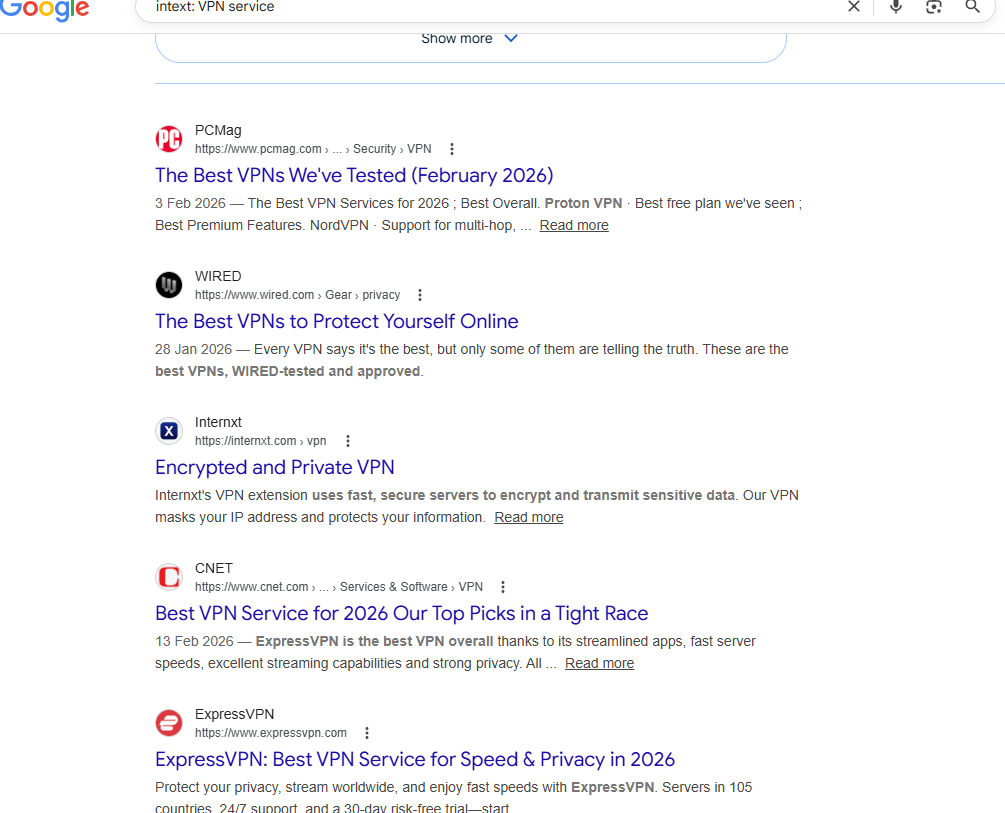
If you want to take a further step, use another operator (“”) quotation marks to pinpoint the web pages that have the search term exactly like that in its body text.
2. Site
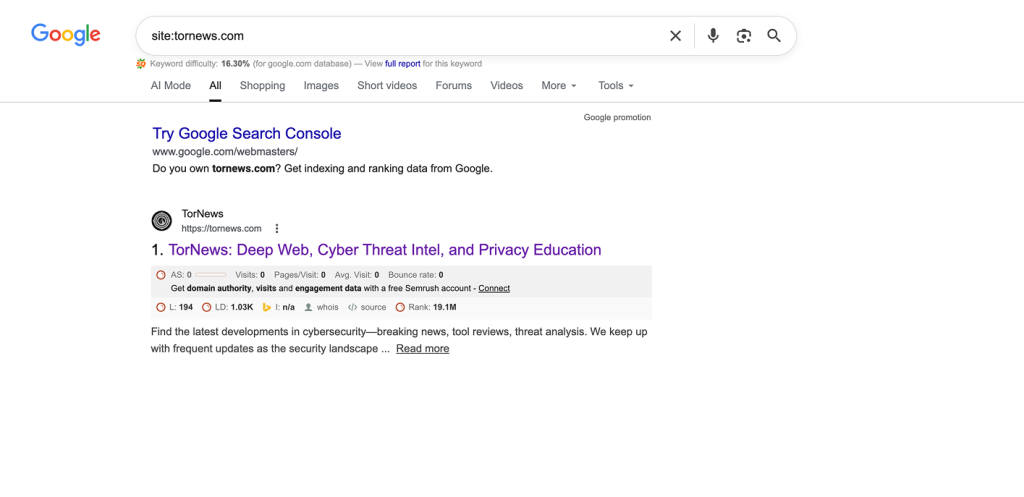
This is an operator that takes you directly to the webpages of a specific website, top-level domain, or its subdomain, without taking you to several other sites. It will display that website’s public website pages, and you can combine the query with others to make the results more specific.
Let’s see the example below by typing it into the Google search bar and focusing on a particular website. So you will type in site:tornews.com.
3. Filetype
The good thing about the filetype, advanced search operator is that it helps the searcher find things like Doc, PDFs, XLS, etc. So when searching for specific manuals, reports, or studies, this query will make it faster and more accurate. For instance, you can type in things like filetype:pdf ebay and get the files saved in PDFs on the site.
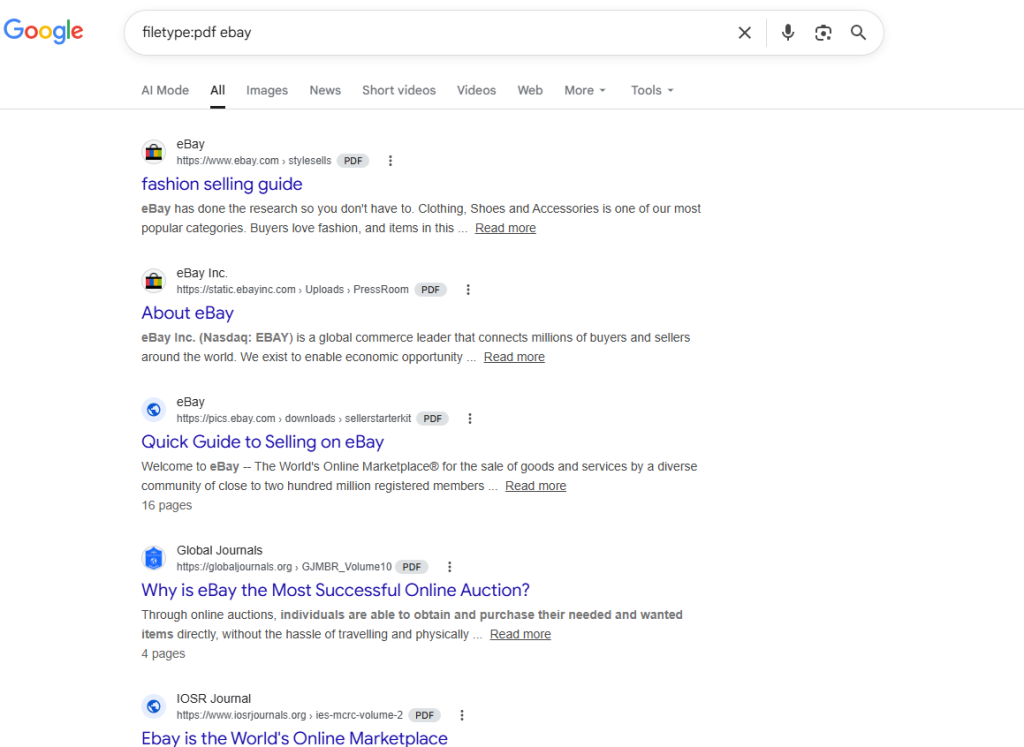
Using filetype query is dangerous in the hands of bad actors. This operator helps them find sensitive information about a target that wasn’t meant for public consumption. A user or staff of a company might accidently leak confidential documents by not saving, storing or securing them well online.
If such PDFs contain a company’s list of usernames and passwords, IP addresses, client emails, new product plans, etc, hackers might exploit these to bypass paywalls, carry out penetration testing or perpetrate phishing attacks.
4. Cache
Cache is usually the last saved copy of a website, which can enable a user to rediscover a website before its latest update or downtime. Whenever someone access a site through Google, a cached version of that particular page is created automatically in Google’s system. So if per adventure there is a downtime and you want to access that version, you just use the cache: query.
5. Map
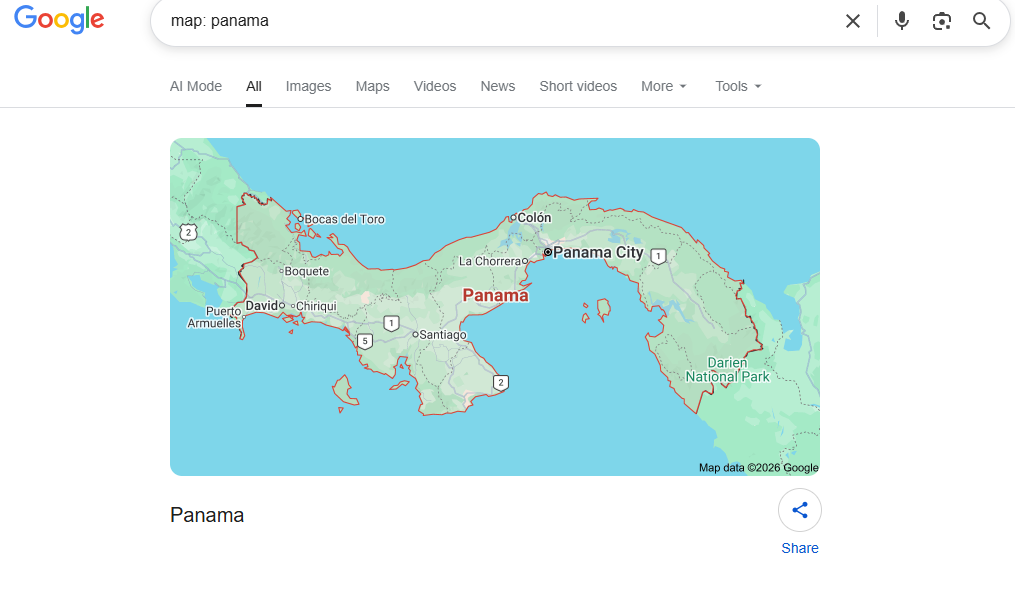
For researchers aiming to find maps of a specific location, using the dorking command map will enable Google to show the map directly and not push out webpages where the map exists. So searching for something like this map: Panama in the search bar will yield the result below:
6. Allintitle or Intitle
This query operator helps you to find particular pages that contain the keywords you are searching for in their SEO (search engine optimization) titles. All you have to do is combine two queries, “site and intitle,” to find the primary keyword you are aiming to uncover.
Type something like this site: tornews.com intitle: VPN on the Google search bar to find all the articles with VPN in their meta title.
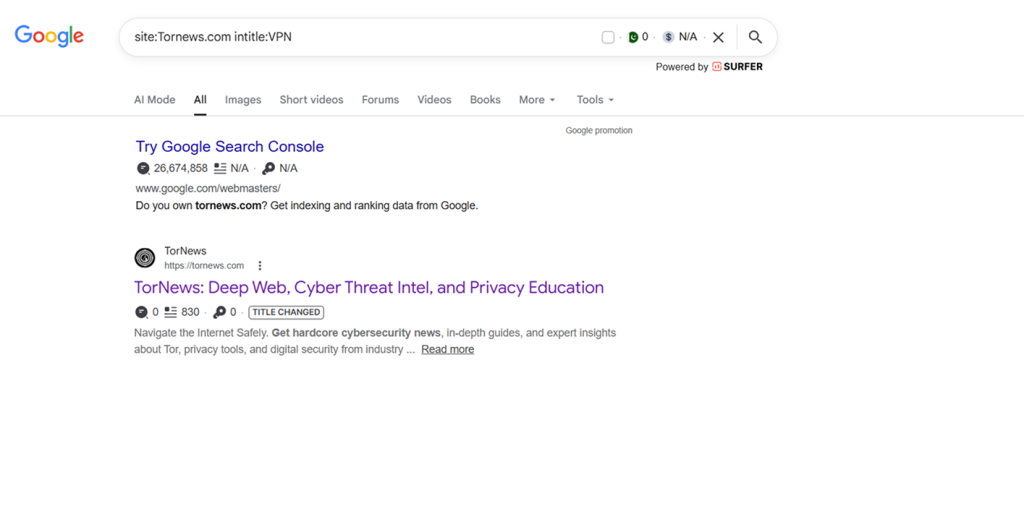
This result shows that this combination makes it faster and easier to find information around a particular search term. If you want your SERP analysis to be more beneficial, use it together with other queries and get the main result you want.
But if what you have in mind is to search many terms at the same time and want them all in the title of the contents, make use of allintitle.
7. Link
If you are searching for web pages linked to a particular URL, using the link dork query will make it fast and specific.
Go to the Google search bar and type the ‘link: tornews.com’, and you will find all the pages that link to tornews.com online.
The good thing about this query is that website owners who want to know all the backlinks to their site can use this for free instead of investing in tools like Ahrefs or Semrush for backlink analysis.
8. Allinurl or Inurl
This command query is used to search for a specific term in a website URL. It is almost like the intitle: query but while it focuses on the URL, the latter focuses on the meta title. So, go to the Google search bar and type inurl:finance for instance.
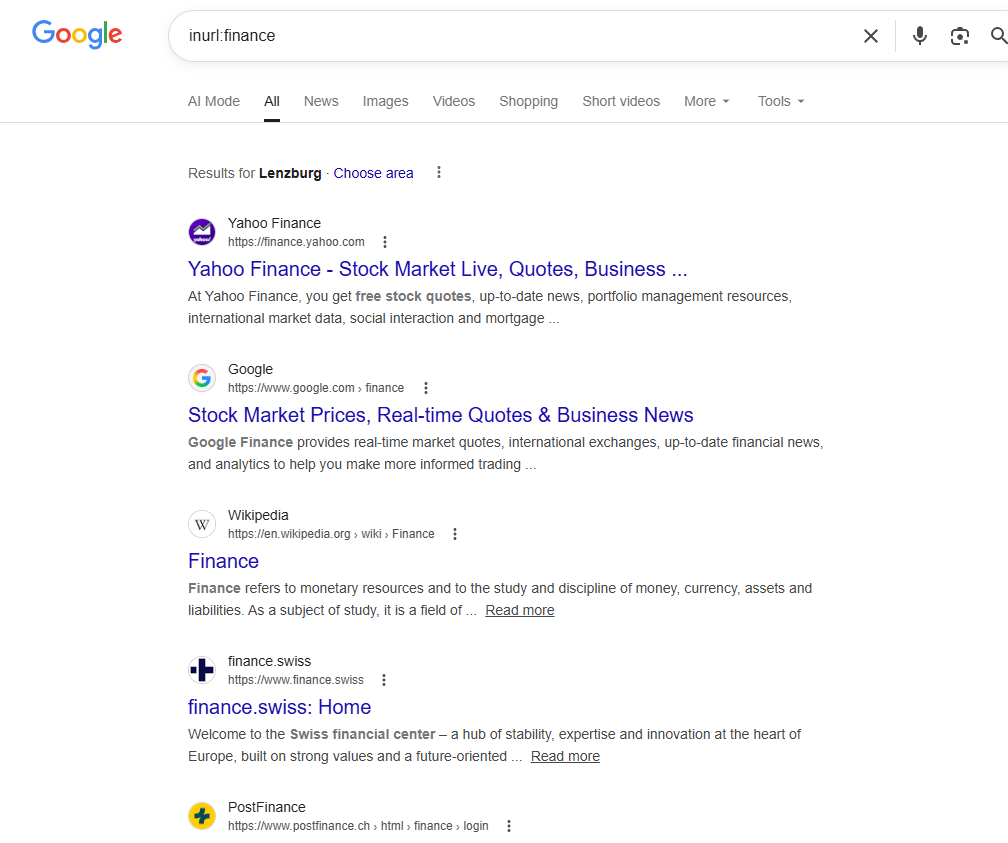
Apart from inurl: you can also use allinurl: query to find website URLs that feature many search terms. Once you type it, all the URLs that contain all your search terms will surface. Let’s say you want to find all the construction companies in Texas in one go, just type in allinurl:construction company Texas.
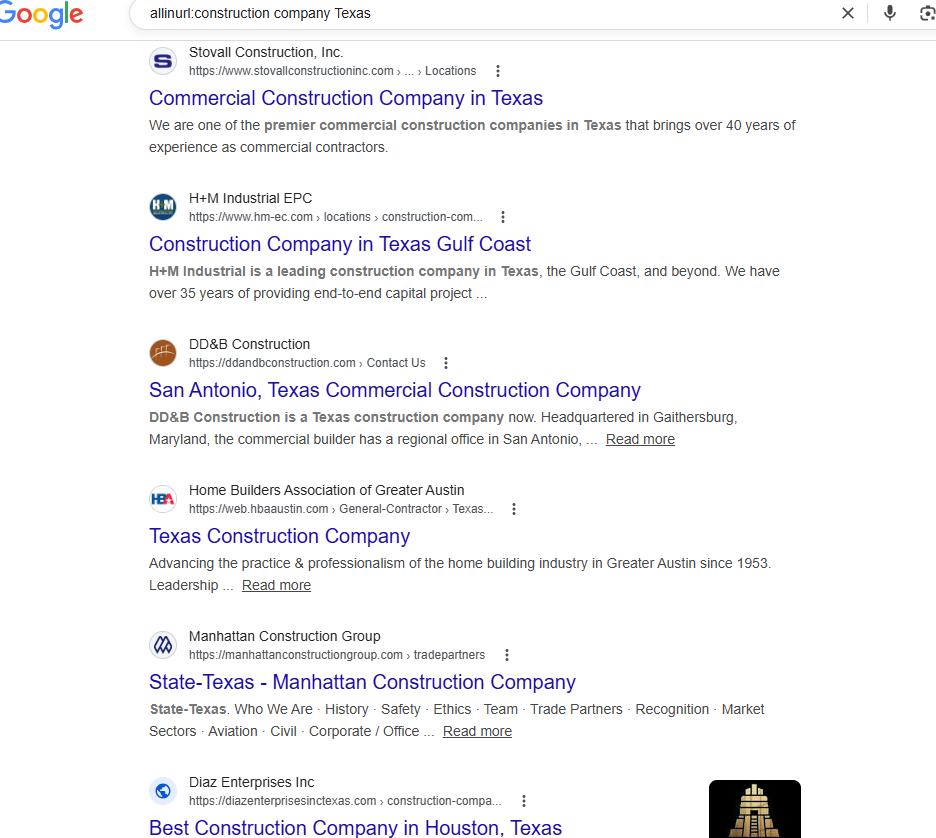
To make it even more specific, you can introduce the minus sign (-) to exclude results from a particular company or source, maybe yours, in the search. This query will enable you to discover the competition your web pages have in Google ranking.
To find more of these search operator strings, you can check the Google Hacking Database to find where other users have posted some more. However, tread cautiously so you don’t open login pages belonging to some corporate bodies or private webcams left open on the internet. You don’t want to face the law.
How to Google Dork a Person on Phone
Practicing dorking doesn’t end on a desktop; you can do the same on your phone. The steps are as follows:
- Open the browser of your choice and open Google.
- Start the process with quotation marks; type in the person’s full name in quotes like “John Doe” so that the exact results that match the name will come up.
- You can also add the location where the person is staying, such as Los Angeles, Panama, etc. by typing “John Doe” Panama.
- Go further into the search by using the operator site: to limit the search in particular platform such as LinkIn by inputting “John Doe” Site: LinkedIn.
- Applying the intitle, operator can bring up pages where the person’s names appear in titles. You can type intitle: “John Doe”.
- For file type search, you can try something like “John Doe” filetype:pdf.
Important notice: How to Google dork a person on the phone does not teach how to break into someone’s phone or move past their lock screen. You can’t even access their private messages.
You can only use Google search to find information about them that is public, just maybe hidden deeper than usual searches can find. But any information about a person that has encryption or requires login details to open won’t pop up through dorking.
Google Penalties Against Dorking
Like what you have seen so far, Google dorking is not for malicious intent but to ensure better search outcomes. However, when you use the results to carry out illegal acts, Google itself can take some actions against you.
1. Warning
The first thing Google will do is to warn you about going overboard with dorking. The warning leads to verifying your search queries before bringing up results.
2. Temporary IP Blocking
If you send many complex queries at a very short interval, Google might block your IP address temporarily because such actions might seem as if a bot is doing it or it is set on automatic.
3. CAPTCHA Challenges
When Google finds you’re going overboard with dorking, it might start sending you some CAPTCHA challenges to verify yourself as human, and that can be really time-wasting.
4. Limits on Rates
This means that Google will slow down or restrict your search requests to make sure you don’t do too much of automatic searching.
5. Permanent restriction of IP
If Google notices that a lot of suspicious activities are going on with your IP or network, it might block it for a long time to stop such actions.
6. Suspension of Account
Let’s say you created an account on Google and use it to scrape information or carry out abusive automated searches, expect Google to restrict or suspend that account.
7. Legal Action
That’s right in severe cases where a bad actor uses results from such advanced search to exploit account or system vulnerabilities, steal data, or break laws, Google’s penalties will no longer be enough but it will initiate a full legal enforcement action against the suspect.
The legal consequences extend to those who use SEO poisoning to distribute malware, such as campaigns that spread fake VPN apps, as these tactics not only violate Google’s terms but also constitute criminal activity when they result in credential theft and data breaches.
How to Stay Safe from Google Dorking
Even though dorking in itself is not illegal, you don’t want to fall into the hands of unethical users. This is why you must protect your information as an individual or a corporate body. The simplest ways to keep your data safe online are as follows:
- Regularly search for your sensitive information, like your name, email, or business, to see what others can find about you online.
- Set up IP-based restrictions to control who can access your files, server, or website. That way, targeted searches with dorking queries won’t find you. This can include approved IP, blocking by location, rate limiting, firewall rules, and IP bans for sensitive areas.
- Restrict access to public files and avoid storing confidential data in publicly accessible folders or directories.
- Never upload private documents openly; always use access control before placing internal files, financial records, and IDs on public links.
- Secure sensitive pages by using authentication, permissions, or passwords to keep private areas of your website protected.
- Control search indexing using tools like robots.txt and noindex tags to keep sensitive pages out of search results.
- Check your website settings regularly, as configuration mistakes can easily lead to data leaks. However, a review of the settings can ensure a proactive measure is in place.
- Use strong security practices that attackers can’t easily bypass, such as enabling two-factor authentication for every login, creating strong and unique passwords, and keeping your software regularly updated.
- Carry out team training, many Google users may not know how bad actors discover information online. Educating them about it could keep them on their toes regularly and reduce the likelihood of accidental leaks.
- Make use of Google Search Console to remove any content that should be private to you or your team from your website.
No one can be 100% safe online, but these steps can help reduce the risk of data leaks from malicious hacking.
Conclusion
Google Dorking offers powerful benefits by delivering precise results through advanced search operators. It’s useful for research, competitor analysis, and uncovering backlinks without extra cost.
For penetration testers, it helps identify vulnerabilities so they can be fixed before attackers exploit them. Tools like the Google Hacking Database also provide a wide range of ready-made queries.
However, it’s crucial to use dorking ethically. Going beyond basic reconnaissance into exploitation can lead to penalties or even legal consequences, so always stay within ethical boundaries.
If your interest in search techniques extends to the dark web, perhaps for academic research, journalism, or cybersecurity monitoring, understanding the best dark web search engines is essential. These specialized tools work very differently from Google, requiring the Tor browser and a completely different approach to finding information online.
FAQs
There is no specific app for Google dorking. The whole thing is a search technique and not a software where you can find things better outside Google. Some apps and platforms act as repositories of pre-built search commands, helping you use dorking without creating the syntax yourself. One of such platforms is the Google Hacking Database (GHDB).
Google dorking can help you find phone numbers that have been indexed publicly. You can combine keywords with search operators like site: or intext: to locate pages containing phone numbers.
Some common operators to use for a deeper search include intitle, allinurl, site, Intext, and filetype. Applying them with the specific terms uncovers the information you need faster.
If a company regularly audits its systems, it can detect and fix data leaks before attackers exploit them. They can also use a tool like robots.tx t to put a cap on what Google can index. They can also monitor the web for leaked information and remove any data that could expose their activities online.