In the digital era, remaining private and anonymous is everyone’s right. Sometimes you want to send a text message without revealing yourself. For example, you’re a journalist, and you want to communicate with a source (anonymously), or want to give honest feedback, report an issue, send a harmless prank message (to your friend), or protect personal privacy. Doing so today is not a piece of cake.
The good news is that you can now send messages anonymously with the right tools. And, if you’re on a budget, there are free tools too. However, the thing with free services is that they aren’t as perfect as the paid ones. Some platforms focus on privacy and encryption, while others are designed mainly for casual messaging and social interaction. It’s also important to use these tools responsibly, since anonymity should never be used for harassment, scams, or harmful behavior.
This article lists the 5 best free tools to send anonymous messages, their features, and how to use them safely.
Best Free Anonymous Messaging Apps – Quick List
Here is a brief overview of the five top choices to maintain your online communication:
- Signal: The best app when it comes to privacy. Not only does it come with both ends of encryption, but it stores no data on its users.
- Telegram: This application offers secret chats, which have total encryption, and offers you a username rather than your phone number to hide it.
- ProtonMail: Use this email service to send encrypted emails, while remaining completely anonymous, as there are no personal details required during sign-up.
- Tor Project: This browser allows users to surf the net anonymously by routing traffic through multiple servers, and no one knows your IP address or where you’re located.
- Session: This messenger does not require you to enter your phone number or email and instead provides you with a random ID for the purpose of communicating with others anonymously.
Why People Use Anonymous Messaging Tools
There are numerous reasons why people utilize anonymous messaging tools. Some use them for serious situations, while others simply want greater privacy in everyday conversations. Whether it’s for whistleblowing, protecting personal information, or anonymous texting, the goal is to communicate without unnecessary scrutiny.
Whistleblowers and Journalists
When reporters want to send sources sensitive information, they are at risk if a source gives them their names or tells them about the reporter’s information. Also, a source may reveal certain sensitive information about the government or top companies, which could leave them in fear if their names are in the open.
This explains why many whistleblowers or investigative journalists use anonymous messaging to protect their own data and relate to the sources that they work with, while still being able to have open communication. It is a means of protecting their research and sources.
Activists and People in Restricted Countries
In some countries, like China and Russia, governments usually monitor, acquire, and scour online discussions. For activists involved in protests and speeches against injustice in such regions, the risk could be high.
To stay safe and avoid scrutiny, users rely on anonymous messaging to coordinate events and share information without it being recorded or stored.
Several activists prefer and recommend using tools like Tor to protect their anonymity and evade censorship. Like a VPN, Tor hides your IP address and keeps your online activities hidden from the surveilling eyes.
Pro tip: Once connected via Tor, our list of the top dark web sites can help activists find secure communication tools, anonymous email services, and uncensored news outlets.
Privacy-Conscious Everyday Users
Not everyone who wants to use such secure messaging apps is a technical user. Some prioritize their privacy and want to be on the safe side. Most users of these apps want to keep their personal information private from corporations and advertisers.
They do not want advertisers profiling the details based on whom they have texted or what they have said. The choice to use free anonymous text apps provides them with a way to fight back against such surveillance.
Reporting Abuse or Seeking Assistance
Those who have been victims of domestic abuse often use these apps to ensure that their abuser does not find out. Victims of drug/alcohol addiction may want to join a support group and do not wish to reveal their names. The use of anonymous messaging allows these persons to get the required assistance from a place where they are safe and do not have to fear repercussions.
Whistleblowing at Work
Employees may want to report to the appropriate parties if they have witnessed fraud or other violations within their company, but may fear losing their jobs by doing so.
Anonymously reporting their concerns to the appropriate officials or regulatory agencies will allow the employee to get the help they require without fear of losing their livelihoods.
Best Anonymous Messaging Tools – Detailed List
Let’s take a look at all five of the best anonymous messaging platforms in greater depth to see exactly what makes them and their utility for free anonymous text messaging.
For a more comprehensive overview of secure messaging apps (including those that require phone numbers), see our guide to the best secure and encrypted messaging apps.
1. Signal
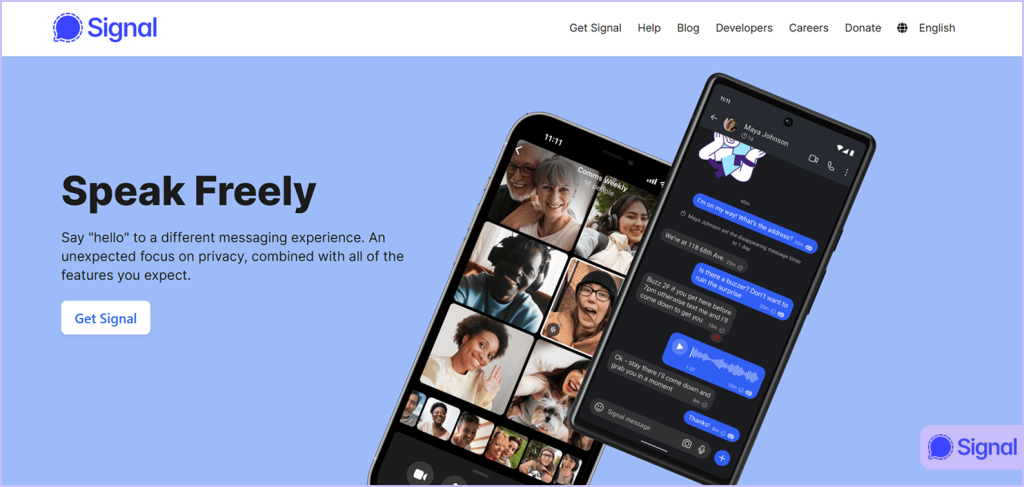
Signal has a reputation as the most secure messaging app in existence. A non-profit group, Signal Foundation, is the force behind the operation of the app, while its funding comes through donations. This means that the app has no advertisers.
How it works:
Like many other services, Signal allows you to create an account based on your phone number, which would seem to go against the idea of keeping your identity anonymous. However, every other thing about the app is private.
The app has several components, most of which remain private, and it automatically encrypts all messages, voice calls, and video calls end-to-end. The application collects nearly no personally identifiable information from its users. For example, they do not collect your messages, contacts, or track your location data.
Signal’s encryption protocol is widely regarded as highly secure and is also used by major messaging apps like WhatsApp. In addition to providing an incredibly secure mechanism for communications between users, the encryption code for Signal’s mobile application is available to the public as open source.
Therefore, different security professionals around the globe can test the application’s encryption code against known vulnerabilities regularly.
However, even Signal has limitations. The FBI recently retrieved Signal messages after they were deleted in a Texas case, a reminder that no privacy tool is 100% foolproof against determined law enforcement with forensic capabilities.
What Signal protects: The content of your personal communications, such as text messages and calls; the files you send through the service. The app or anyone else, except the recipient, cannot read the messages that you send or listen to the calls that you make. The only thing Signal knows about you is that you have an account and your connection to Signal’s servers.
Not protecting: As Signal needs you to register by phone number, anyone already aware of your telephone number can locate you in the app. If total anonymity is what you seek, you must obtain a phone number specifically for use on Signal (such as an unregistered SIM card) or use a virtual telephone service for this number.
Who it’s most useful for: Anyone looking for a private messaging app to communicate securely with friends and family. It’s simple to use, highly dependable, and offers strong end-to-end encryption for everyday conversations.
2. Telegram
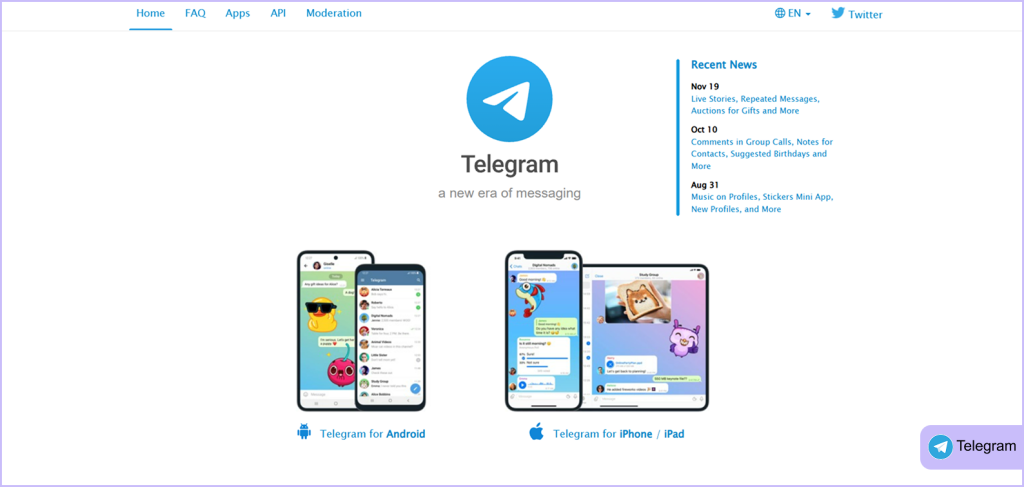
Telegram is a popular app where people globally communicate daily. It provides many options for convenience and privacy; however, it is essential to know its restrictions.
How Telegram works:
To use this app, there’s a need for a phone number to register. After registering, they may create a “username”/virtual identity and hide the phone number from anyone who would like to use this form of communication. To send messages using this form of ID, the sender will remain anonymous.
There are several ways to send and receive messages on the app. The first way is by using a regular message thread through the Telegram cloud that will remain permanently in the cloud and is “not” encrypted from both ends.
The second method is sending a message through a secret thread (Telegram’s Secret Chats) that will remain encrypted between both ends and will be automatically deleted on the server after it has been received. One exception is that users must intentionally initiate a “Secret Chat” with each person they wish to use this form of communication with.
What Telegram protects: In secret chats, your messages become encrypted and can self-destruct. You can hide your phone number from your contacts. You can also use anonymous admin features in groups.
What it doesn’t protect: Regular chats are visible to Telegram. The app also logs IP addresses, and its custom encryption protocol has faced criticism from some security experts. If you want to send an anonymous text message for free with Telegram, you must use secret chats and hide your number.
Best for: People who want a feature-rich messenger with some privacy options, and who understand the difference between regular and secret chats for anonymous chat.
3. ProtonMail
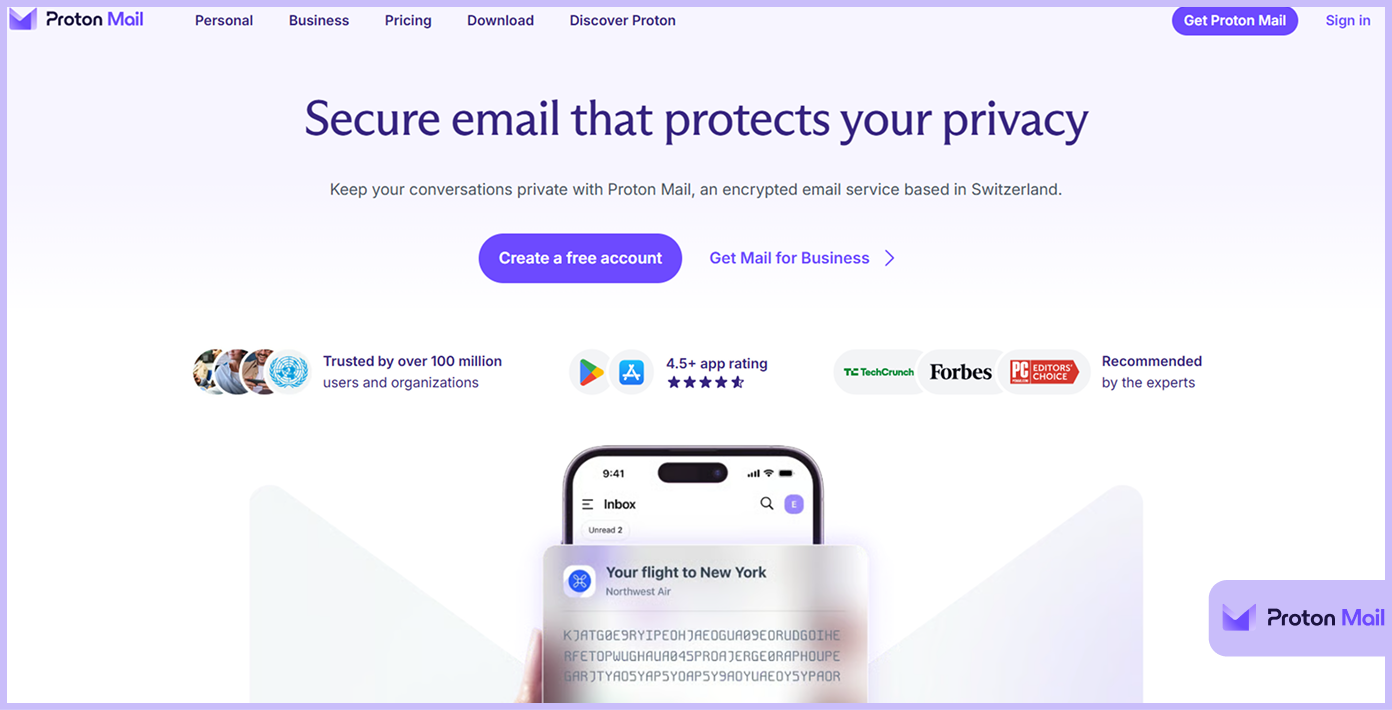
ProtonMail was developed as an email service specifically for private communications. Unlike Gmail or Outlook, they don’t examine the content of your emails to create advertisements for you.
How it works:
You don’t have to give ProtonMail any personal information (a phone number or alternative email address) to create an account. You only need to select a username and a password. Swiss laws give ProtonMail some of the strongest protections in the world against unauthorized access to your information.
ProtonMail provides encryption at both ends as well as zero access to any email, even the staff have no access. All messages between users of ProtonMail are automatically encrypted as well at the time of sending, but when sending an email to people who use other e-mail providers (like Gmail), you can use a password-protected option to retrieve from ProtonMail’s servers.
What ProtonMail can protect: Email content, email contacts, and email attachments. You will find other features, such as self-destructing emails and two-factor authentication.
What ProtonMail cannot protect: Email header information. If you communicate with someone using a non-encrypted e-mail provider, then that part of the journey might be visible.
Best Uses: Individuals who seek to establish a private e-mail service for confidential communications, such as journalists, activists, or individuals living under restrictive regimes.
4. Tor Project
Tor is more than just software; it is an entire framework for browsing the web anonymously. At its core, the Tor Browser is a Firefox-based browser adapted to route traffic through the Tor network.
How it works:
When a user connects to the Tor Browser, their traffic travels directly to one of several random relay servers that pass through the traffic to yet another relay in a similar fashion (this is known as ‘bouncing’), before the destination server can see the traffic coming from that user. Each relay only knows the previous one that sent the request to it and the one to which it is sending the next request, which makes it nearly impossible to trace your online activities back to you.
There are also several privacy-related security features within the browser, including NoScript (which will block malicious scripts) and HTTPS Everywhere, which will force browsers to use encrypted connections when possible. The browser does not save history or cookies from one browsing session to another.
With Tor, you can send anonymous messages website-style by visiting secure forums and web-based messaging services without revealing your identity.
What Tor protects: Tor protects the IP address and location of users from third-party websites and prevents users’ internet service providers (ISP) from seeing what they’re doing on the net. In addition, Tor can also provide users with access to content that is blocked in certain countries.
What it does not protect: While Tor offers several benefits, it does not encrypt the user’s data after it leaves the last relay. Therefore, if a user goes to an unsecured website, his or her data may be visible at the IP address assigned to the last relay. Also, logging into personal accounts, Gmail, Facebook while on the Tor browser, can link an anonymous browsing activity back to one’s personal identity.
Best for: People who want to be anonymous on the web, those seeking to access information that some governments deem “inappropriate.” To protect their identity when conducting research or reading sensitive information.
5. Session
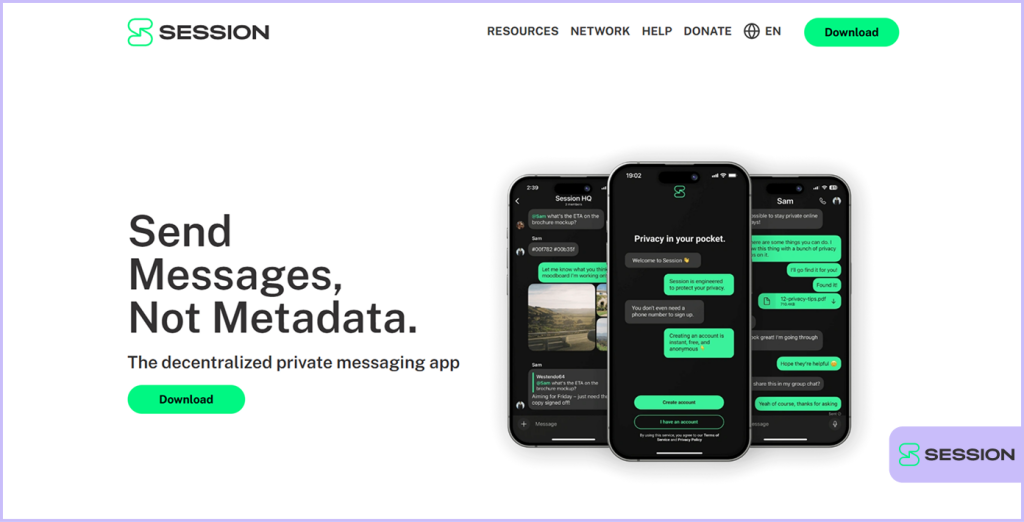
Session was created as a modern chat app designed for users to communicate easily while protecting their anonymity, and is similar to Facebook Messenger or any other messaging app. However, unlike those other apps, your messages will not only remain private, but also your identity as a messenger will be hidden.
How it works:
Session is the only tool here that lets you send anonymous text messages for free without registration; no phone number, no email, no username, just a randomly generated 66-character Session ID. That’s your account. No personal info required.
Unlike some other messaging applications, Session uses a distributed network of servers run by users, which eliminates any single failure point as well as the possibility of a data breach due to a central entity managing all operations. Message traffic will be routed through multiple nodes to anonymize your IP address.
Session operates with two-end encryption by default for each message sent, and does not collect any data through the use of metadata, meaning they do not know who you are communicating with or how/when.
What Session protects: Everything. Your identity, your messages, your metadata, your IP address. Session is probably the most anonymous messaging app on this list.
What Session doesn’t protect: To provide users with this level of anonymity, there is a trade-off, meaning some features will not be as polished as standard messaging applications; for example, video and audio call functions are still being developed, with peer-to-peer calling coming shortly.
Best for: People seeking greater privacy and willing to trade off some functionality to remain anonymous.
Best Applications for Anonymous Messaging: Comparison Table
| Applications | Purpose | Features | Requires Phone/Email? | Best for |
|---|---|---|---|---|
| Signal | Secure messaging and calls | End-to-end encryption, minimal data collection, open-source | Requires phone number | Users who want maximum privacy for messaging |
| Telegram | Messaging and group communication | Secret chats with end-to-end encryption, usernames instead of numbers | Phone number required for signup | Fast messaging with optional anonymous communication |
| Proton Mail | Encrypted email service | End-to-end encrypted emails, anonymous signup | No personal details required | Sending private and anonymous emails |
| Tor | Anonymous web browsing | Routes traffic through multiple servers to hide the IP address and location | No signup required | Anonymous browsing and bypassing tracking |
| Session | Anonymous messenger app | Decentralized messaging, encrypted communication, and a random user ID | No phone number or email required | Completely anonymous private messaging |
Key Features to Look for in Anonymous Messaging Tools
Not all tools claiming to be private live up to that name. Use these guidelines when considering options to send anonymous texts online without fear.
No Phone Number or Email Required
The primary criterion for a truly anonymous tool is that it doesn’t require a phone number or email address to create an account. Your phone number links directly to your identity, which can reduce your level of anonymity.
Real anonymous tools let you send anonymous text message free without registration using just a username or a randomly generated ID.
End-to-End Encryption
In the simplest terms, this means that only the intended recipient can read your message content through end-to-end encryption. It prevents third parties from intercepting or interpreting what you send.
E2E encryption (End-to-End encryption) is an extension of this notion in that it allows no third party (including the company providing the messaging service) to access what you sent to others. Seek out applications and/or services that implement two-end encryption by default rather than as an optional feature.
No Metadata Logging
“Metadata” refers to the data that describes other data. It includes all relevant transmission data associated with sending a text message, such as your IP address, the time/date stamp associated with transmission, and identifiers associated with both you and the recipient.
Even if your message was encrypted, the transmission of your metadata would reveal numerous data points about you to an opponent. Good anonymous tools minimize or eliminate metadata collection.
Open Source Code
When the source code for software is publicly available, anyone can review the code to identify and report any vulnerabilities and/or backdoor access. Open source tools, such as Signal, ProtonMail, Tor, and Session, are verified by independent security experts.
Self-Destructing Messages
Self-destructing or disappearing messages are messages that get deleted after a specified timeframe. This feature helps send messages with sensitive content where only the person you sent those messages to has access to them for a brief period.
IP Address Protection
Your IP address can provide clues to your physical location and to the ISP that you’re using. Good anonymous tools mask your IP address using techniques such as onion routing (Tor) and/or routing traffic through a decentralized network (Session).
Risks and Limitations of Anonymous Messaging
It is a good idea to know where these tools are weak before using them. Everything in this world has its pros and cons, and anonymous communication apps are no exceptions.
False Sense of Security
People may feel they are completely secure because they are using an anonymous tool when, in fact, they may not be. Just because you are using an anonymous messaging tool does not mean that you are free from errors.
If you do something that reveals your identity during your communication, your encryption will not protect you. Logging into Facebook while using Tor will link your middle and last names with your anonymous Tor activity.
Phone Number Requirements
In order to use many of the most popular private messaging tools on the internet, a user usually has to provide their telephone number. For example, both Telegram and Signal require users to enter their phone numbers to create an account.
This could be a weak link if the number is connected to the person’s name. Though you can hide your physical phone number from other users, the application itself does have access to the number.
Metadata Leakage
Sometimes, encrypted messages can leak through metadata. If an application records when and with whom an individual communicated, their information can be used to develop a pattern of their movements. Certain messaging applications are designed in a more secure manner than others to minimize metadata. Session, for example, collects no metadata at all.
Encryption Gaps
Encryption of conversations is not something that all applications will do for you or your chats. Regular conversations on Telegram will be stored in Telegram’s cloud and thus accessible by app. Your chats are private only when using the “Secret chat.”
Legal and Moral Concerns
Many people have abused anonymous tools as a means to facilitate illegal activity, creating a stigma with their engagement. Many wrongly presume that anyone who is using the Tor browser or Session is doing something illegal, although it is not illegal to seek privacy as a human right.
Technical Complexity
Tools like Tor require a bit of learning. They might be slower than regular browsing. Some websites block traffic from Tor exit nodes. Session’s interface is less polished than WhatsApp’s. The trade-off for privacy is sometimes a bit of friction.
Recovery Risks
Because anonymous tools don’t collect personal data, they also can’t help you recover your account if you lose access. For ProtonMail, if you forget your password and don’t set a recovery method, your emails are gone forever. Session has no password reset option at all; lose your Session ID, lose your account.
Best Strategy for Achieving an Anonymous Identity Online
Choosing the correct tools for communication is only half the process of maintaining anonymity. How you use those tools is equally important. Follow these tips to send an anonymous message to a website or app.
Create a Dedicated Anonymous Identity
If you plan to communicate anonymously regularly, create a separate identity for it. Use a pseudonym. Create a new email address just for signing up for services. Never mix your real identity with your anonymous one.
Use a VPN with Other Tools
While tools such as Tor already mask your computer’s IP address, by using a VPN, you bring additional layers of protection. A VPN hides your Internet activity from your Internet Service Provider, and your TOR hides it from the VPN. Just be sure you choose a VPN that does not log your activity. Some experts recommend using a VPN in conjunction with Tor for more complete privacy.
Not sure whether Tor or a VPN is right for your needs? Our detailed Tor vs. VPN guide breaks down the key differences in privacy, speed, and use cases to help you choose.
Don’t Give Away Personal Information
This should be obvious, but it can easily or accidentally slip out in a conversation. It is important that you do not mention your city, workplace, age, etc., to anyone, as even small pieces of information can be combined to create enough information that will allow others to find you.
Don’t Log into Personal Accounts
When using Tor or any secure communication tool, avoid logging into your personal accounts, Facebook, or Google, as it will link your anonymous Internet activity directly to your identity, thereby negating any benefit you had from being anonymous. If you need to check personal accounts, use a regular browser session.
Use Burner Devices or Virtual Machines
For the truly anxious, consider using a separate device for anonymous communication. Use a dedicated low-cost smartphone on public Wi-Fi to reduce traceability. Virtual machines on your computer can also provide isolation.
Regularly Upgrade Software
Outdated software like Signal, Tor, or operating systems increases security risks because updates often patch newly discovered vulnerabilities. Enable automatic updates for all software. It enables updating automatically whenever you can.
Understand the Limits of Each Tool
Make sure you know the protection each tool provides and what they don’t. For example, do not use Telegram regular chat for sensitive communications; don’t assume ProtonMail will encrypt e-mails sent to Gmail addresses. Read the documentation on your tool and understand what your tool is.
Listen to Your Instincts
If you feel something is wrong or strange regarding a conversation, or any situation for that matter, then something is likely wrong. The conversation suddenly takes a turn for the bizarre, then get the heck out. If a tool asks for more permissions than it should, uninstall it. Your intuition is a security tool too.
Conclusion
The best anonymous messaging tool depends on your needs. Signal is ideal for secure daily conversations thanks to its strong end-to-end encryption and privacy-focused design. ProtonMail works well for sending encrypted emails anonymously, while Tor Browser is the top choice for private and anonymous web browsing.
Choose the Session app for maximum anonymity without a phone number or email. Telegram also offers secret chats and privacy settings for more secure communication.
No tool guarantees complete anonymity on its own, but when used carefully and with good privacy habits, these platforms can help protect your identity and online activity effectively.
FAQs
It is possible to send anonymous text online without the need to download any applications from your web browser. Many websites provide this service, but it varies widely in quality of service and ability to protect your privacy. Some apps may log your IP address or inject ads. To obtain secure anonymity, go for specific apps such as Signal Messenger or Session.
Session is currently one of the most popular messaging applications that allows you to send anonymous text messages for free without registration. It has no requirement for a phone number or email address to create an account and no collection of metadata, as it also utilizes a decentralized network and routes all traffic through such a network to hide your IP address.
Yes. Some apps, Signal, Telegram (secret chats), and Session, provide the same encryption and privacy protections as seen in text messages for sending images and files. ProtonMail also supports encrypted attachments. So you can send an anonymous text with a picture using any of these tools.
Signal, Telegram, and Session generally run smoothly on most devices because developers have optimized them well. The Tor Browser may be slower than regular browsers because of the multiple relay hops, which is the trade-off for anonymity. The slowdown is usually noticeable but manageable.
For most anonymous tools, there’s no recovery option. ProtonMail lets you set a recovery email or phone number, but that reduces anonymity. Session has no password recovery at all; your Session ID is your only key. Store your credentials somewhere that is safe, such as a password manager.