-
Microsoft highlighted an international campaign against hotel Wi-Fi networks to Midnight Blizzard, the Russian bad actor.
-
Attackers changed network settings to redirect hotel guests toward fake Microsoft 365 login and phishing pages.
-
Microsoft also found two malware families that can steal passwords, watch users, and take data from infected Windows devices.
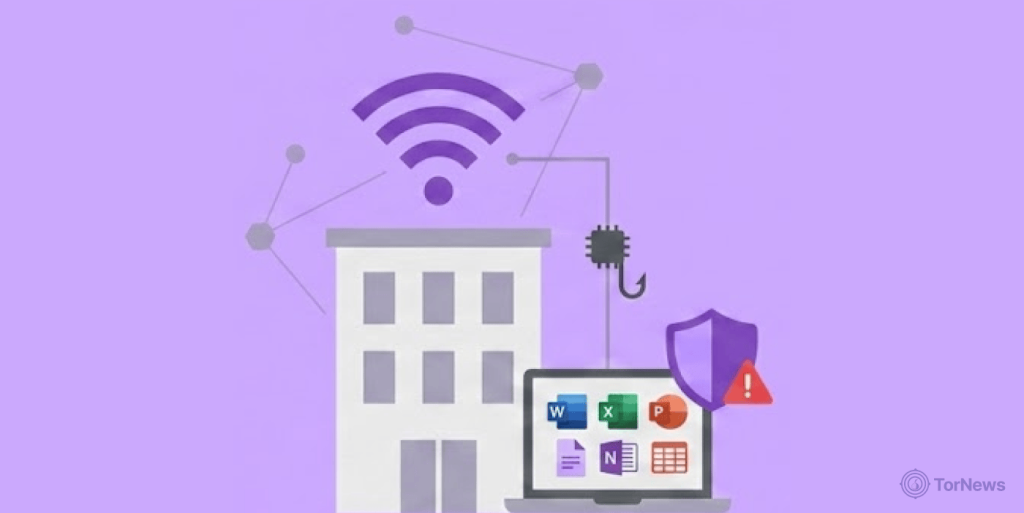
Microsoft just pointed out an international campaign hitting hotel and conference Wi-Fi networks to Midnight Blizzard, the Russian bad gang. The group also identifies as APT29, according to Microsoft’s threat intelligence findings.
The activity came to light after cybersecurity company ReliaQuest reported attacks involving hospitality Wi-Fi networks. The attacks changed DNS settings on Wi-Fi equipment and redirected users toward fake pages.
Microsoft said the activity also connects to Storm-2945, a smaller group linked to Midnight Blizzard. The company named the campaign CaptiveCrunch and said it may have been active since early May.
The attackers also used device code phishing and OAuth-based attacks. Microsoft said it had seen those operations since February.
Attackers Redirect Hotel Wi-Fi Users to Fake Login Pages
The attackers target Wi-Fi systems that use captive portals at hotels and conference centers. These systems control how guests connect to the internet. After gaining control of the network equipment, attackers can change DNS settings. This allows them to redirect users away from the websites they expect to visit.
ReliaQuest described a similar attack pattern. The company found attackers changing DNS settings on hospitality Wi-Fi systems to redirect users. Microsoft and ReliaQuest could not confirm exactly how the attackers first gained access.
The hospitality sector continues to be a prime ransomware target, with the Qilin group recently claiming responsibility for a breach at Bangkok’s Sivatel hotel.
However, Microsoft found signs that shared network systems may have suffered breaches. After changing the DNS settings, attackers can send victims to fake Microsoft 365 login pages. These pages copy real Microsoft sign-in screens to trick users into entering their details.
The attackers also used device code phishing to abuse Microsoft Entra ID authentication. Microsoft observed this activity in July. The campaign used another method involving a fake browser and Windows update pages.
These pages used ClickFix prompts to trick users into taking actions that installed malware. Microsoft also found evidence that attackers targeted Android devices in some ClickFix campaigns. The pages could deliver an Android APK file to affected users.
The attackers therefore used several methods instead of relying on one type of phishing. Some methods focused on stealing login details, while others delivered malware to devices.
CornFlake and ChocoShell Give Attackers Access to Victims
Microsoft identified two new malware families linked to the campaign. The company named them CornFlake and ChocoShell. CornFlake is a Windows remote access program written in Go.
Microsoft said it can give attackers control over infected computers and help them steal information. The malware can open remote command access and record what users type. It can also monitor copied text and capture screenshots.
CornFlake can use the computer’s microphone and webcam to watch victims. It can also steal browser passwords, cookies, and Microsoft 365 session tokens. The malware can take files from infected systems and monitor USB devices.
It can also collect information about the infected computer. When CornFlake starts, it displays a fake window that shows progress to distract the victim. The malware then copies itself into the Windows AppData folder to remain on the computer.
Microsoft said the fake window can look like several normal Windows activities. It may appear as a Windows update, virus scan, or disk cleanup tool. The fake screen can also pretend to be a network check, browser update, or document viewer setup.
This helps the malware appear less suspicious to the user. CornFlake also uses the name “Cloud Sync Service” to look like a genuine Windows component. It uses several methods to stay active after installation.
These methods include Windows services, registry settings, scheduled tasks, and a watchdog process. The watchdog can restore the malware if one of its methods stops working. ChocoShell is the second malware family Microsoft identified.
It runs directly in computer memory and focuses on stealing sensitive login information. The malware can target browser cookies and saved passwords. It can also steal Microsoft 365 and Azure Active Directory tokens.
ChocoShell can further collect Wi-Fi credentials from infected Windows computers. Microsoft said the code contains many comments that suggest AI tools may have helped create both malware families.
Microsoft also found an exposed web management panel called FruitStone. The attackers used the panel to manage infected systems and browse stolen files. The panel could also run PowerShell commands. It could capture screenshots and record keystrokes from infected computers.
Microsoft Urges Users to Treat Hotel Wi-Fi as Untrusted
Microsoft recommends that travelers treat hotel and conference Wi-Fi networks as untrusted. The company also advises users to choose private cellular or managed connections when possible. Users should avoid installing software or updates offered through captive Wi-Fi portals.
They should also be careful when a public network suddenly displays an update request. Microsoft recommends phishing-resistant security methods, including multi-factor authentication and passkeys. These methods can make it harder for attackers to use stolen login details.
Organizations should also turn off code authentication on Microsoft Entra devices when they do not need it. Microsoft further advises companies not to use corporate credentials when registering for guest Wi-Fi networks.
The campaign shows how attackers can target shared Wi-Fi systems instead of individual users. A compromised network device can then expose many people who connect through that system.
ReliaQuest’s research also advises organizations to protect corporate devices with secure, always-on connections when using public networks. For travelers, the safest approach is to avoid trusting unexpected login pages and software prompts on public Wi-Fi.
Users should also use stronger account protection and avoid entering work credentials into suspicious pages.
