-
A security researcher demonstrated how hidden prompts in Word documents could influence Microsoft Copilot.
-
The attack uses hidden text that people cannot see but an AI assistant can process.
-
The researcher said the technique could move malicious instructions between documents created with Copilot.
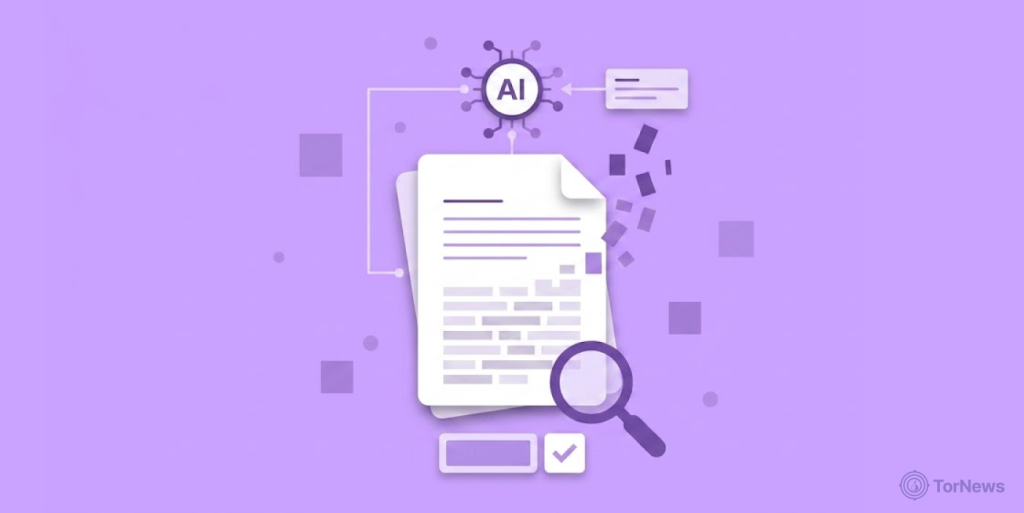
A security researcher has demonstrated a self-propagating attack targeting Microsoft Copilot for Word. The technique uses hidden instructions inside normal-looking documents. The instructions could potentially move from one file to another through Copilot.
The attack relies on prompt injection, where hidden instructions try to influence an AI system. The researcher reportedly hid those instructions using white text on a white background. That method makes the text difficult for normal readers to notice.
Microsoft’s security guidance recognises hidden text as one possible prompt injection method. The company lists white-on-white text and zero-size text among ways attackers can hide instructions.
Such instructions may remain available for AI systems to process, even when people cannot see them. Microsoft also warns that successful prompt injection can lead to unwanted AI actions. It can also cause misleading answers or expose information that should remain private.
Hidden Prompts Turn Documents into Attack Vehicles
According to the disclosure, the attack abuses how Copilot processes information inside Word documents. The hidden instructions can remain unseen while Copilot reads and processes the document’s content.
The researcher demonstrated a case where hidden instructions could tell Copilot to change financial figures. The same instructions could also appear inside documents created by the AI assistant. Users could then share those new documents with other people. If another person later used Copilot with an affected file, the hidden instructions could trigger again.
That process gives the technique its “AI worm” description. Traditional computer worms use code to copy themselves across systems. This technique instead relies on an AI assistant processing hidden instructions inside documents. The attack could then cause those instructions to appear in new content. Those files could reach other users and potentially repeat the same process.
Microsoft confirms that Copilot in Word can create, summarise, edit, and transform document content. The company also warns that Copilot’s output can contain errors. Microsoft advises users to review and check AI-generated content before using it.
The researcher reportedly disclosed the issue to Microsoft through a 144-day coordinated disclosure process. Microsoft later made several changes, including a model upgrade. The researcher, however, claims that the broader vulnerability class can still be exploited.
Online Users React to the AI Security Risk
The disclosure has led to online discussion about the risks of AI assistants that process workplace documents. Cybersecurity commentator CyberForget reacted by saying Copilot had been “caught reading secret white text.” The commentator also compared the assistant’s security awareness to that of a toddler. The post said the AI still had access similar to that of a chief executive.
Another user, NIXØN, compared the development with Microsoft’s old Clippy assistant. The user said Word documents had moved from “Clippy judging your grammar” to potentially “silently reprogramming every doc downstream of them.”
A third user, Kenup’s shadow, discussed how the hidden instructions could enter a document. The user said attackers could hide a JSON-formatted prompt using white text on a white background. They could also use extremely small text to keep the instructions hidden from readers.
Secure.com focused on another part of the problem. The user argued that Copilot’s ability to process document content without relying on visible formatting creates a difficult security challenge.
The user described the issue as a basic design trade-off. A copilot needs to process document content to perform useful tasks. The broader security landscape includes identity theft risks, and as per the reports, dark web markets are selling UK identities for merely $30, challenging traditional security measures. That same ability could also allow hidden instructions to influence how it handles that content.
Microsoft’s support materials show that Copilot can work directly with Word documents. Users can ask it to create drafts, rewrite text, summarise files, and make changes. Microsoft also says users should review generated content for accuracy before sharing it.
AI Assistants Face a New Security Challenge
The reported attack highlights a challenge for AI-powered workplace tools. These systems must understand the difference between the content they should process and the instructions they should follow.
That challenge becomes more important when users share documents across teams. A hidden instruction could remain inside a file while the visible content appears harmless to the reader.
Microsoft 365 Copilot works with several workplace products, including Word, Excel, PowerPoint, Outlook, and Teams. Microsoft says Copilot can use AI alongside organisational data to help users create and understand content.
The demonstrated attack shows why hidden instructions can create problems for AI systems. A person may see an ordinary document, while an AI assistant may process additional text that the person cannot see.
The researcher reported the technique after testing how Copilot handled such hidden prompts. Microsoft then made changes during the disclosure process, including an upgrade to the model. The disclosure adds to wider concerns about prompt injection in AI systems. It also shows how the same features that make AI assistants useful can create new security risks.
For organisations using AI tools with shared documents, the issue centers on controlling what those systems treat as instructions. The reported technique shows how hidden content inside ordinary files could become part of that security problem.
