Think of the dark web as a hidden neighborhood on the internet. You can’t just drive there using your regular web browser like Chrome or Firefox. To visit this internet part, you need a special key, specific software like the Tor browser that lets you in while keeping your identity a secret.
This secrecy is the whole point. It allows private networks and individuals to communicate and do business without revealing who they are. Or even their location. While it’s a part of the larger “deep web” (which is everything regular search engines can’t find), the dark web is specifically the corner designed for anonymity.
You’ll find all kinds of networks there. From small, private groups to large, well-known ones like the Tor (The Onion Router) network, you see it all there. Because this hidden web is so different, its users often call the regular, open internet the “clearnet,” since everything out in the open is unencrypted and visible.
It is a warzone, hideout, whatever you want it to be.
Opposite to the perception that the dark web has formed, it’s not a place where only hackers and conspiracy theorists meet and hustle. Alongside illicit activities, it also has legitimate uses. Journalists enter the space to hide the sources where they get their news before publicizing it. Other groups, such as the experts in the security sector, go there to carry out important research without being seen.
Apart from them, people under political regimes that hinder certain freedoms go there to get uncensored information. Then bad eggs will always be present in every system, and in this case, they use the dark web to complete their criminal commercial activities. Now these are the reasons you must know about it. And that’s why this complete dark web beginner’s guide is a must-read.
The Internet’s Structure
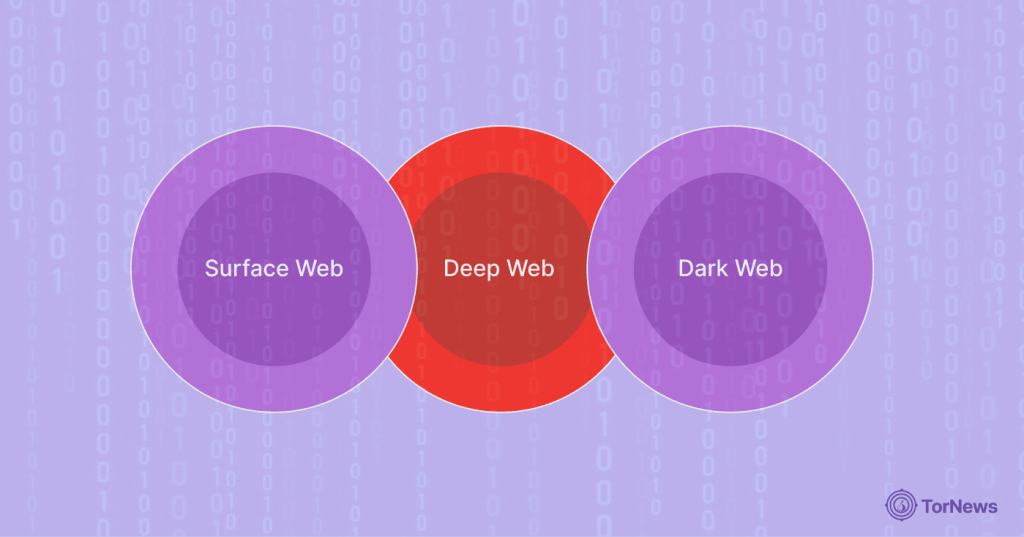
The three main parts of the web make up the internet. Let’s look at them:
1. Surface Web
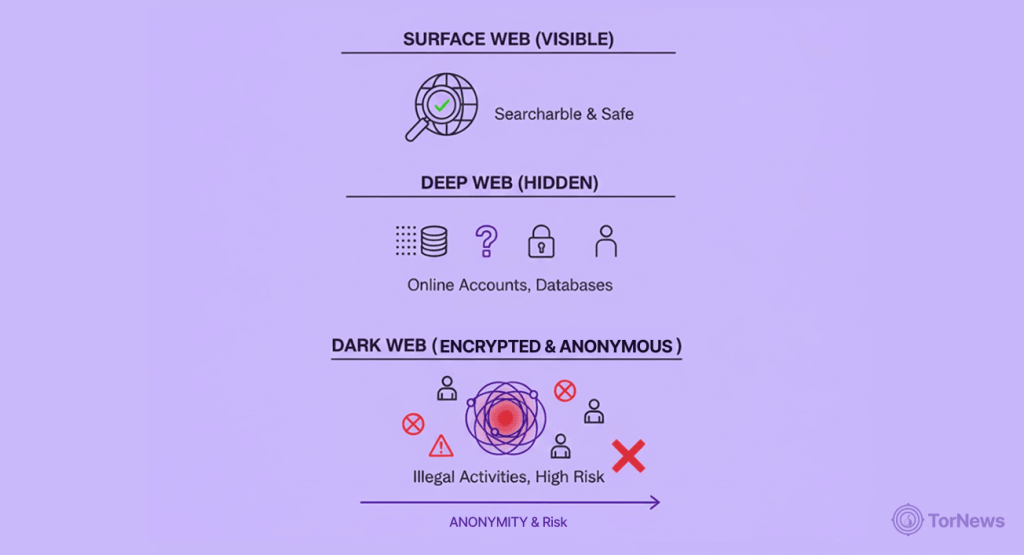
The surface web is everything you encounter when you Google something. It is the part of the internet that is openly searchable by search engines like Google, Bing, and DuckDuckGo and is visible to users.
When you go looking for a new recipe, check the weather, or are reading this article, you are reading something “from the surface web”. It feels like it’s so vast because it is everywhere, yet ironically, it is the smallest part of the web.
2. Deep Web
The deep web is where it starts to get interesting. The deep web is anything that is online that sits behind a login screen, paywall, or is otherwise managed or restricted.
For example, your email [inbox], your banking account administrator, Netflix after you have signed in, and even your private (not shared with anyone else) Google Drive documents are deep web. Search engines cannot crawl these pages because they are protected, and honestly, it’s a good thing that they cannot.
Most of the confusion associated with the dark web comes from this place, in that some confuse “deep web” with the “dark web,” so it must be made clear that they are, in fact, two different things. The deep web isn’t bad at all. It’s just private. Corporate intranets, academic publications, subscription databases—they all exist there. If you logged into your bank to check your balance, you were using the deep web.
These pages are stored on common servers, but privacy controls prevent search engines from indexing them. That’s it.
3. Dark Web
This is a smaller part of the “deep web” intentionally kept out of reach, and can only be reached when special technologies like the Tor Browser come in. Pages that reside on the dark web don’t use standard suffixes like “.com” or “.org” and direct traffic through multiple encrypted relays.
This way, it’s almost impossible to pinpoint the spot-on location of the server or the visitor’s IP address. Search engines are unable to access these pages, and even the directories within that network only catalog them very sporadically.
Consider it a two-edged sword type of anonymity because it covers both the good guys and the bad actors. That’s the true nature of the dark web. For those interested in exploring its legitimate and fascinating corners, we’ve curated a list of the best dark web sites to get started.
The Dark Web Story – An Excerpt
The “Cold War-era” project, ARPANET, was the first to transmit an e-message on October 29, 1969. Over time, almost all discussions concerning networks hidden online began buzzing here.
The result?
A packet-switched network without a central authority that could handle attacks while routing traffic. About 30 years later, scientists in the U.S. Naval Research Laboratory expanded on this concept by creating “onion routing,”
This layered encryption so that no single relay could determine both the sender and the destination of the information sent along the network. It was basically the genesis of what we now consider anonymous communications.
The alpha version of The Onion Routing (Tor) project was made available to the public on September 20, 2002, and was soon released as open-source software, with EOS funding from the Electronic Frontier Foundation (EFF).
This voluntary relay network, developed by Tor, nearly overnight democratized strong anonymity. Activists in repressive regimes began using Tor. Investigative journalists valued it. And inevitably, cybercriminals saw it as well.
By the mid-2000s, Tor had become a de facto gateway to what we now call the “dark web.” And the evolution? It’s unending!
The Dark Web’s Modus Operandi (Mode of Operating)

Imagine you are sending a classified letter via a mailing service. You wrap the letter with up to 3 or 4 envelopes so that no one knows the content or sees the letter.
From your local post office, a postal staff member sends it to a regional mail sorting center. From there, a postman moves it to the next stop.
During these movements, one wrap on the envelope is removed. As such, the three officials who got in touch with the mail can’t tell where it’s been or the next place it’s being sent to.
This is just how The Onion Router operates.
Your internet traffic is what travels through three relays:
- A guard
- A middle
- An exit relay
Each relay only knows about its neighbors in the circuit.
As per the October 2025 data, there are around 12,000 relays run by volunteers throughout the world that make up the Tor network.
This layered structure secures your anonymity by ensuring no single observer is able to see both the sender and the recipient—even while you are actively engaged in online activity to support that function.
Tor and “.onion” Addresses
The moment you enter the Tor browser, it creates a “circuit” for you automatically, and this carries the three relays. Just like the name implies, it wraps your credentials in more than one layer of encryption, like an onion.
These hidden services use strange 56-character .onion URLs that exist only in the Tor network. Visiting a hidden service is like sending a letter to a P.O. box that is only accessible by that postal system’s internal delivery trucks.
Outside parties can’t even see the address of the P.O. box, let alone the contents of that letter.
Relay Functions and End-to-End Encryption
Let’s clarify what each relay actually does:
- Guard relay (first hop): This relay receives your traffic and peels off the outside encryption layer. It knows your IP address, but nothing about your browsing destination.
- Middle relay (second hop): This relay sends the data encrypted without knowing your origin or destination and is simply a blind middleman.
- Exit relay (third hop): This relay removes the last encryption layer and contacts either the public internet or the .onion site you are attempting to reach.
Other Privacy Networks
Tor isn’t the only option. Many other dark web structures and architectures seek similar anonymity, with different pros and cons, for example:
- I2P (Invisible Internet Project): I2P uses “garlic routing”, which routes several messages together as an encrypted “clove” of messages, offering some added resistance against traffic analysis. Every traffic here stays within the private layer of the network. In March 2025, version 2.8.2 of I2P rolled out along with encoded, unidirectional tunnels.
- Freenet: Freenet works with a friend-to-friend mesh in the sense that each friend shares disk space to a shared datastore.
If content goes live on this network, it’s hard to take down because peers don’t stop downloading the content. As such, it’s even harder to impose censorship here.
Why These Architectures Matter7u
We’ve reviewed enough mechanics to understand the same potential promises and perils of the dark web. It can be easy to forget that the same relay system that shields a whistleblower frustrates law enforcement.
The same hidden addresses that protect a political dissident might be the same mechanism used to hide a certain type of criminal storefront.
Understanding this “postal-route” routing mechanism and what they can and cannot do helps situate the idea of trading privacy for security in navigating the hidden internet.
Distinction Defined: Deep Web vs. Dark Web
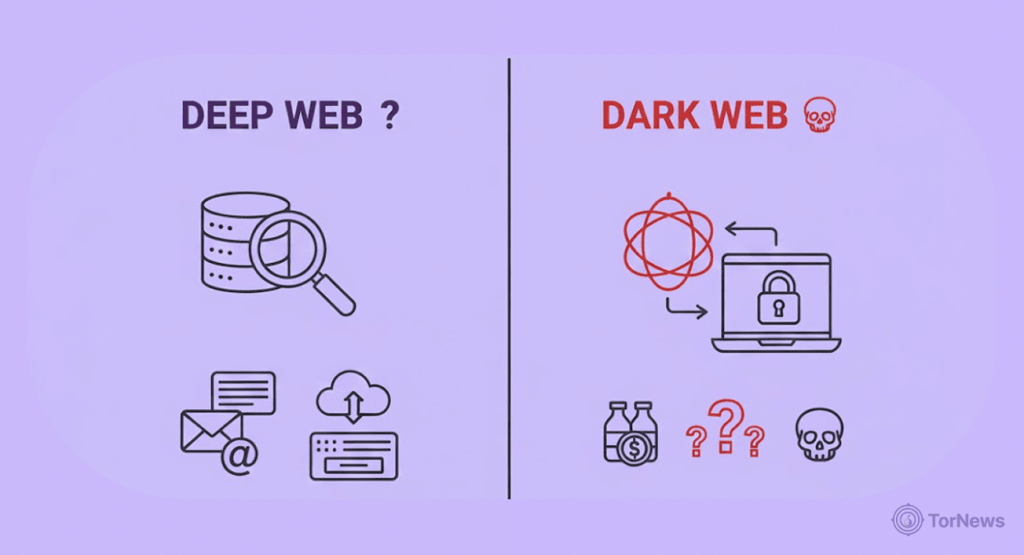
A lot of people still confuse the “Deep web” with “dark web.” So, let’s clear that off the track!
They are NOT the same. The “deep web” is the backyard of Google; your corporate intranet, your Netflix queue, your health records, and your private Google Docs—all on the deep web.
The pages behind those barriers can be just like the ones on the internet you use every day, but you can’t just reach them by the usual crawlers because there are authentications you must pass.
In almost all instances, the deep web is there to hide users, rights to intellectual property, and regulations. It’s boring and completely legal. Checking the dark web, you will find it is a different thing altogether; it is intentionally hidden and requires either the Tor Browser or I2P.
The dark web doesn’t use normalized URLs either; instead, it uses non-indexed domains like “.onion” and wraps each traffic connection in several layers of encrypted relay traffic, hiding the server and user.
Is the Dark Web Dangerous?
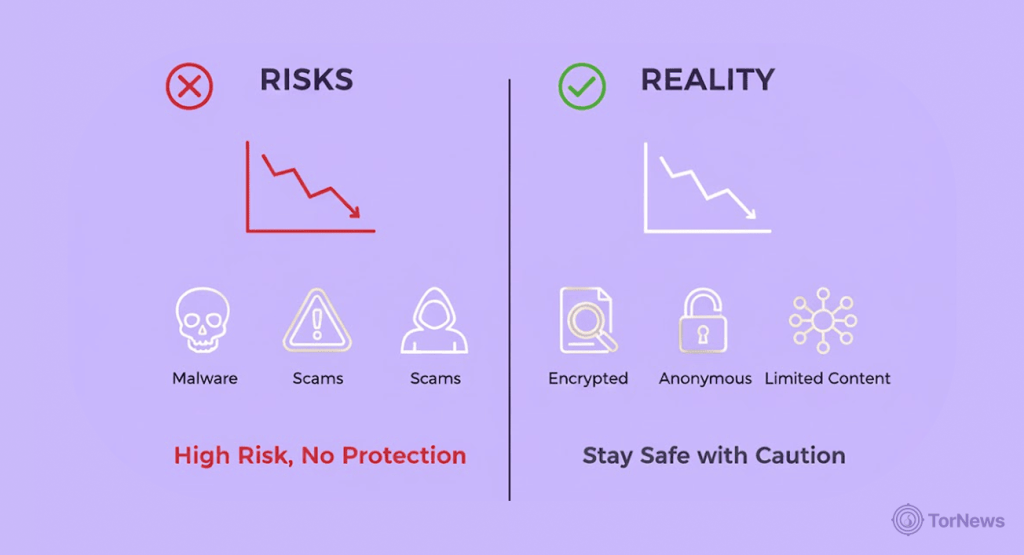
In the United States or other democracies, you can access the dark web without breaking any laws.
But other activities taking place on the dark web – such as selling drugs, child exploitation material, weapons trafficking, stolen data markets, etc. – are criminal acts and clearly illegal.
The dark web is not dangerous based on what it is.
The actual threat lies within those spaces – Identity theft, government honeypot, unbelievable scams, and the like.
But still, there are worthwhile things happening in that web space.
Legitimate Uses of the Dark Web
In just one time span of the year 2024, the internet was down for a considerable amount of time, with cumulative losses in the billions, over $4.78 billion to be exact! In countries such as Iran, Myanmar, and other places, residents could not even utilize the surface web during periods of protests or even during times of polling – these measures were just to keep information away from them.
When these things happen, a lot of the time, the deep web mechanisms are the only means a person can communicate news of what is happening, listen to, or just provide ordinary people with any real truth of what is going on in their area.
Journalism: SecureDrop Continues to Change
This “open-source” software is important – it provides organizations and their sources of information, a refuge to connect securely and to meet sometimes without issues.
The primary factor that makes it so important for their meeting is that the two sides can send what they have across using a .onion site supported by TOR.
Rather, the threat is in what takes place there – identity theft, government honeypot, unbelievable scams, etc.
There are good activities taking place on that web space, too.
How to Get Safely Onto the Dark Web
If you are careful at the beginning when bringing up an account, you will easily dodge the eyes of thieves in that arena, making it impossible for them to know who you are or add their malware to your devices.
So, having said that, why not try hard now to keep yourself safe by following the methods we have for you below before you click any .onion link.
This is a dark web setup guide you can use to start your journey safely.
1. Download Tor Browser
If the setup file is not from torproject.org, then don’t bring it into your device. The version that is newest version and safest in the industry is v14.0.9, which started working on April 1, 2025. To tell the truth, this one is not like the other older versions because it is safer than them and even better than a patched one.
Tor is the gold standard, no doubt about that. But it’s not the only secure option. For a detailed look at Tor and its top alternatives, check out our rundown of the best dark web browsers to find the one that best fits your needs.
2. Signature Verification
Every Tor package comes with a Pretty Good Privacy (PGP) signature in the form of an .asc file.
Get a GnuPG (gpg –verify tor-browser-linux64-14.0.9.tar.xz.asc) or built-in Windows verifier to always make sure that the hash and the public key of the developer match.
That’s how you confirm whether the setup file is compromised or not. Failure to do so could leave you downloading a browser with a Trojan infestation.
3. Implement a VPN or Tor Bridges
A trustworthy, no-logs VPN will protect your Tor usage from your Internet Service Provider (ISP) and protect against correlation attacks on the first hop.
If a VPN is not available, or Tor is blocked in your country, you can enable bridges or the new Connection Assist feature present in the 14.5 alpha series, which will automatically retrieve obfuscated entry nodes that serve to circumvent censorship.
4. Consider Tails OS for better anonymity
If you’re dead serious about keeping your digital footprint squeaky clean, Tails OS is basically your starting line. Tails ( stands for The Amnesic Incognito Live System) is a Linux-based thing you just slap onto a USB stick and boot up. No need to mess with your laptop’s insides.
The magic trick? Everything you do gets funneled straight through Tor. No fiddling with settings, no “wait, did I set that up right?” panic attacks.
But the real sauce? It forgets everything. Power it down, and it’ll be like you were never there. And it’s not just a blank slate; you get some solid tools out of the box: OnionShare for shooting files around without leaving a trail and KeePassXC so you’re not scribbling passwords on a sticky note. It also provides VeraCrypt if you’re all about that locked-down life.
Basically, if you need to keep work and, well, other work in totally different lanes, Tails is your friend.
But here’s the kicker: none of this fancy tech matters if you mess up. Seriously. Open your personal Gmail? Let a random script run in your browser? Double-click a sketchy file? You just nuked your own privacy. The OS sets the rules, but you’re the one playing the game.
So yeah, channel your inner positive detective and think before you click.
The Dark Web: A Double-Edged Sword
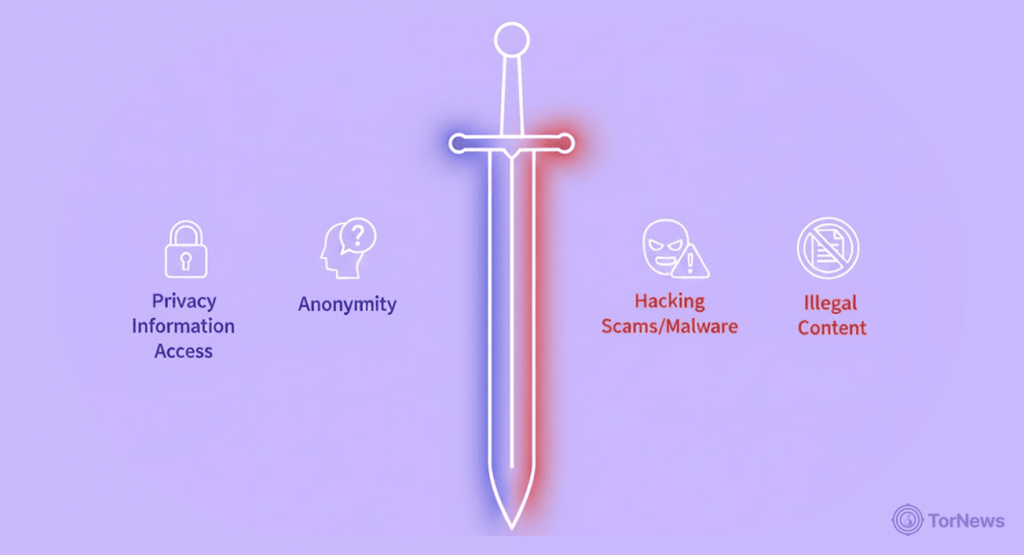
Privacy is neither good nor bad. What protects a whistleblower can also hide bad guys. So, before you go exploring, know the dangers. Curiosity can turn bad fast.
1. Getting Tracked
Tor is good, but not perfect (like any other tool online today). In 2024, experts found a simple timing attack that could link where traffic enters and leaves Tor, possibly revealing your IP address.
Tor Project fixed it quickly and told everyone to update. The bottom line here, though? You’ve got to be cautious, or else you’ll get burned.
2. Law enforcement Honeypot
Cops don’t just wait around; they set traps. They fake dark web markets to log your IP, transactions, and even your PGP key.
Remember Nemesis Market? In March 2024, US and German cops ran it for months, collecting dirt until they shut it down. That market you are in may just be a trap.
Operational Security: How You Stay Safe

Honestly, operational security is your real shield — forget all the hype around Tor or VPNs. Those things are just gadgets in the toolbox. Mess up on the basics and, poof, all that fancy tech? Pretty much wasted.
Big rule: treat your personal info like your grandma’s secret recipe.
Don’t recycle usernames, emails, or profile pics from your normal online world. One slip and you’ve left breadcrumbs everywhere. And before you post anything—a selfie, a doc, whatever– strip out the metadata. Seriously, ExifTool is a lifesaver here.
And keep your mouth shut – no chitchatting about your life story. You might think, “Oh, what’s the harm?” but as soon as you mention you’re a barista in Austin or that you love hiking in Vermont, you’re giving away pieces of the puzzle. Folks can put that together way quicker than you’d think. Just zip it.
Encrypt Everything with PGP
PGP is still the top choice for locking down your messages. Generate a fresh key pair on a PC that’s never connected to the internet before. You’d get a public and private key
NEVER let that private key go online; safeguard it in a USB stick with encryption. Using pastebin or a trusted keyserver, you can share your public key.
What’s more! Make it a habit to check other people’s fingerprints thoroughly. You don’t want to give out sensitive details to impostors on the dark web.
Use Hardware Wallets for Crypto
Don’t leave your money sitting in web wallets or on exchanges; those are magnets for hackers and police.
If you save your assets in Ledger Nano X or Trezor Safe 3, malware can’t find your private keys, let alone steal them.
If you spend, fund only that particular amount at the moment, and let the cold storage bag hold the rest.
Use a Dedicated Device
NEVER use one device for your regular activities and dark web surfing. There are cheap laptops you can get for just your dark web activities.
Single-board machines work well, too, so you just run Qubes or Tails operating systems on them.
Again, keep your Bluetooth and Wi-Fi off when idle. And, do not operate your personal accounts using this device. That’s how people get caught.
Block Scripts and Plug-ins by Default
JavaScript, Flash, or browser add-ons can expose your IP, apply a fingerprint on your device, or introduce malware in a way that will escape your attention.
Tor Browser applies locks on these things using NoScript on “Safest” mode; please avoid applying changes to it unless the site is a place you can be safe or if there’s a need to change because something unavoidable.
The best move you can always make without fail is to use a “disposable virtual machine” to go to any site you must open, no matter whether you can swear about its safety or not.
Another thing, be really scared of downloads when on any site, scrutinize everything that pops up, and even those requests you get to add your information, peek at them seriously, and if possible, avoid. If you can really remain careful and watchful, all those targeting to expose you will always be disappointed.
Legal Considerations
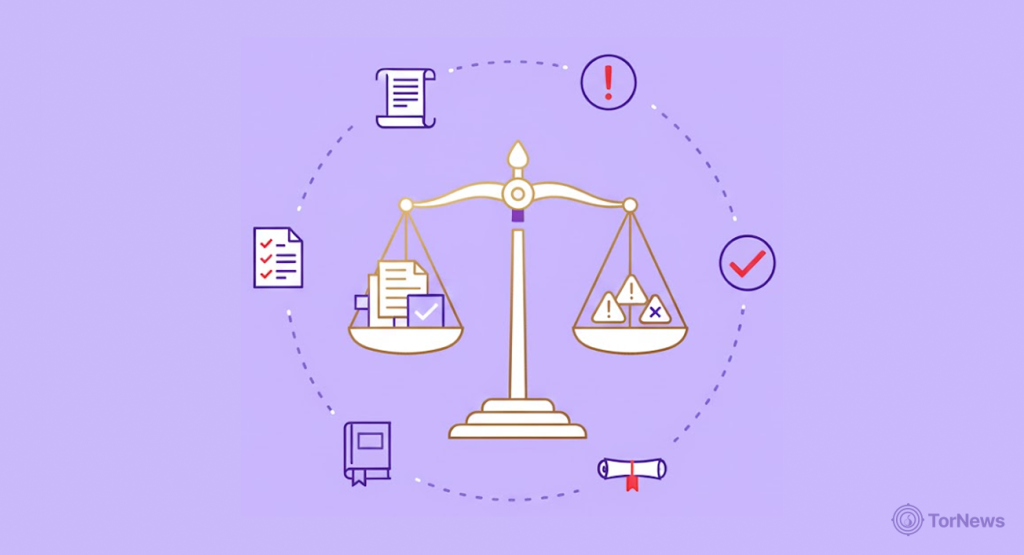
Every country in this world has things they can let go and some they won’t even consider, and based on that, some countries don’t care whether you use the Dark Web or Tor or not, meaning using them won’t be “illegal.”
However, even though such countries can accept you using the site & browser, if you try passing a fake ID as real, try selling drugs already banned, share malware with others, or sell info you stole from others, there are laws to catch you. It all means your actions can still land you in a jail cell in such places.
In the US
The “First Amendment” is the law protecting users of Tor. But anything involving selling drugs, or programs that allow people to grab others’ info, “hacking,” or transferring money without the approval of the government, you are guilty of breaking a federal law.
There are some agencies whose work is to study the dark markets to catch culprits. One of those bodies is JCODE, which sends its people to pose as buyers on the space and also watches transactions made with crypto.
Once they catch anyone doing anything that breaks the law, which might be to sell opioids, the person might just spend 20 years in prison, or sometimes stay there until death, especially if what was bought and sold involved big money.
European Union
This country makes it mandatory for online platforms to pull down actions that mean the sale of banned goods & not only that, they must work alongside law enforcement to make it happen.
The law backing such actions up is the “Digital Services Act” of the EU, which came into play on February 17, 2024 & those who engage in dark web copycats are part of the culprits as well.
Each country of the union has specific penalties they have designed for lawbreakers. For example, anyone caught selling fake passports in Germany might end up bagging 10 years imprisonment.
In France or Spain, any massive drug deal can land the culprit in spending all his life in prison. Anti-money laundering & GDPR entities mete out fines when anyone fails to handle other people’s data legally or complete crypto transactions that are questionable.
CIS Nations (Belarus, Russia, Kazakhstan)
There is no restriction whatsoever on Tor. BUT! The authorities don’t joke about anything involving buying & selling on the darknet due to “broad drug” & “extremism” statutes.
In Russia, the laws designed to punish bad actors that sell drugs & malware can attract between 15 years imprisonment to life sentences; Criminal Code Articles 228 (narcotics) & 273 (malicious tools).
A typical example of such a case or bad actor who faced the penalty was the founder of Hydra market, who was given a life sentence without parole in December 2024 by a court in Moscow.
In a country like Belarus, companies offering VPN services must register their business with the government because if they work without registration, they’ll face a huge fine.
Another place is Kazakhstan, where authorities catch bad actors that share info to “encourage drug trafficking.” Moreover, a simple post of onion links in a forum for others to use can land you with a fine.
Take this: laws are not stiff or rigid, they change every now & then. Based on those changes, methods of enforcing the laws also change as well. So there’s no exception for anyone claiming “ignorance” as a reason to break the law.
If you must handle or join any transaction taking place on the dark web, have a certified attorney first. And don’t forget, any country that holds your data might decide to step in because of your actions.
Dark Web Alternatives
Every “privacy” must not be “Tor-level” to keep you anonymous. There are several other access methods you can utilize instead of Tor and still hide your activities well.
We’ll bring these other options you have using the SWOT concept to show what makes them good, the bad side, etc.
| Alternatives | Strengths | Weaknesses | Opportunities | Threats |
|---|---|---|---|---|
| VPN-only browsing | It’s dead simple—just click once and you’re set with most providers. Your IP stays hidden from sites and local networks, and it works with pretty much any app. | It consumes massive storage, which could get you in trouble if illegal files get cached on your device. Development moves more slowly than I2P or Tor, so updates are not guaranteed. | Great for geo-block workarounds and safe connection to public Wi-Fi. It comes in handy for when you want to spoof your location fast. | In some countries, the VPN providers must hand over user logs to the government. Also, desperate services often make money off your data on sale or flush ads into your traffic. |
| I2P (Invisible Internet Project) | Uses garlic routing, which bundles messages together to make traffic analysis harder. You get access to internal services (called “eepsites”) and encrypted peer-to-peer sharing. | Fewer relays than Tor, so not as much access to the regular internet. Setup can be confusing if you’re not super technical. | Developers are working on better mobile options and faster performance. The privacy community backing it is strong. | Since the user base is small, it’s easier for attackers to spot you if enough peers turn bad. Sometimes, big software updates break compatibility. |
| Freenet | It’s fully decentralized, and files stick around as long as people want them. There’s a friend-to-friend mode so you can only connect with people you actually trust. | Slow to pull up files that aren’t accessed often, because of how storage is spread out. Not really built for live chatting—better for sharing stuff that doesn’t need instant replies. | Perfect for whistleblower sites or archives that resist censorship. If you prefer having documents at your disposal than speed, then it’s for you. | Perfect for whistleblower sites or archives that resist censorship. If you prefer having documents at your disposal to speed, then it’s for you. |
VPNs are quick and easy, but require trust. I2P is a sweet spot for niche privacy communities. Freenet is all about long-term, censorship-proof publishing. Don’t just use Tor out of habit—pick the tool that fits your real needs.
The Outlook of the Dark Web
We see surveillance leveling up alongside digital borders. Even the dark web is on this evolution train.
The big question remains: What is shaping this evolution?
We’ve picked out four key trends transforming hidden networks and untraceable communications.
Privacy Coins and Crypto Innovation
Bitcoin is still the number one legal tender on dark web marketplace onion sites. But its ledger is transparent, thus turning the heads of many to better alternatives.
Privacy-focused projects like Zcash and Monero support hidden transactions as well as stealth addresses. So, investigators will break a sweat trying to perform any analysis.
These days, it’s common for vendors to ask for Monero if the deal is risky. Plus, new wallets let you swap currencies and enable trustless conversion between various currencies.
Encryption With Quantum Resistant
Quantum computers are coming with claims that they can break into today’s encryption. As such, the big techs like the Tor Project set out to integrate algorithms for quantum resistance.
The experiments commenced in 2024 with hybrid algorithms. I2P is looking at lattice-based cryptography for safer routing. The goal: make sure your traffic stays private, even when quantum machines finally show up and start cracking old messages.
AI for Moderation and Evasion
Artificial intelligence is like a two-edged sword in the sense that it serves both offensive and defensive purposes. The systems help marketplace admins to fish out fraudulent listings, phishing, and fake reviews.
Then, law enforcement uses machine learning (ML) to map out vendors, evaluate the patterns data seized, and catch new threats early.
And don’t forget the bad actors; they’re using big language models to write believable malware listings and dodge keyword filters, making dark web markets even busier and trickier. That’s where things are heading: smarter privacy tools, stronger encryption, more creative uses of AI—every side pushing to stay ahead.
Decentralized DNS and Hosting
Decentralized DNS systems are like superheroes without capes. Developers now migrate to systems like the InterPlanetary File System (IPFS) and “Handshake” to push against censorship and takedowns.
They cut off dependence on hosting servers and registrars that have a central authority. As such, if law enforcement seizes one spot, the site pops up somewhere else, mirrored across a whole network of nodes.
Right now, not everyone uses this as it’s still a new trend, but the direction is clear. The web is heading toward a future where censorship gets a lot tougher and sites are way harder to stamp out. Looking ahead, the dark web keeps muddying the line between digital resistance and criminal risk.
It’s planting itself immersively into protocols with encryption and setups that have no central authority. Tools that foster anonymity will get smarter, as well as those striving to wreck them. What a competition.
Recommended Practical Measures
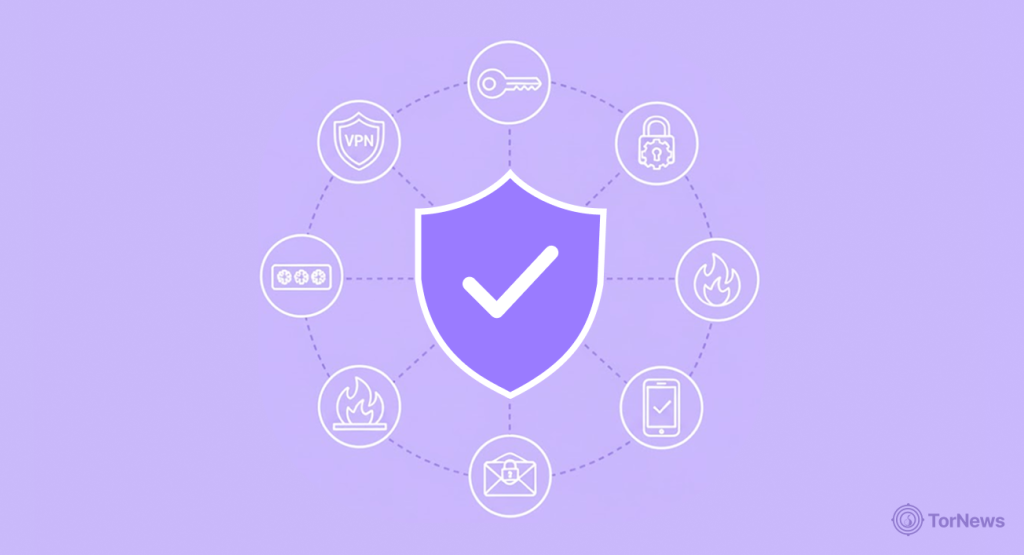
No matter the benefits you reap from the dark web, the danger can override all those goods. That said, we’ve curated safety practices you can consider as your essential dark web guide to OPSEC (Operations Security).
Technical Hardening
Work with trusted tools ONLY! Never download the “Tor Browser” if it isn’t from torproject.org. Look at its PGP signature to confirm the source.
Use no-logs VPNs to route your traffic. You don’t want your ISP to know you’re on Tor. Also, it’s harder for any individual to tie any activity to you.
Keep your activity separate. Use a device just for this purpose or boot from a live system like Tails. Don’t mix dark web use with your daily files, history, or logins.
Shut down scripts. Lock Tor Browser in “Safest” mode. Block JavaScript and plug-ins—they can leak your real IP or leave you exposed.
Skip downloads if you can. Otherwise, a virtual machine or sandbox should always be your go-to option to download any file. That way, your main system is safe from malicious programs.
Discipline
DO NOT share your personal details. Avoid using your legal name, email, or any handle/username you’ve used elsewhere. Little details can blow your cover.
Encrypt everything. Use PGP for messages and files. Always double-check recipient keys through a separate, trusted method before sending anything important.
Watch for phishing—always. Bookmark trusted .onion sites and read URLs closely. We now have fake sites everywhere built just to harvest your credentials or corrupt your device.
Avoid honeypots. Sometimes, law enforcement runs fake stores or forums just to catch people. Look out for weird messages or offers and avoid them.
Monetary Habit
Use wallets built with privacy in mind. Don’t ever consider those browser extensions for your money. You’d find efficient hardware options like Ledger or Trezor to safeguard your keys offline.
Only load what you need. Don’t keep big balances in online wallets. Move leftover funds to cold storage, and if you use mixing services, know they aren’t foolproof. Transact anonymously. Never reuse wallet addresses. To level up your privacy, opting for Monero over Bitcoin could be your best bet.
Legal disclaimer: While the use of the dark web is not banned in most regions, it’s advisable to avoid any implicating actions in this space. This content is only for learning purposes. Also, know that laws vary by jurisdiction. Always check the laws and have a lawyer on hand just in case.
Final Word
The dark web is not for fun, nor is it for nefarious activities. One thing we know is that change is two-sided, depending on WHAT you choose to do. Tools for anonymity and free speech sit side by side with scams, malware, and real risks. But how you explore it safely is knowledge; learn how things work, from onion routing to decentralized hosting.
Though you can’t 100% understand the science behind this space and its threats, the little knowledge you grasp reduces your chances of getting burned. You get to slip past censorship with ease, keep chats private, and safeguard your data. This isn’t just theory.
In some countries, this stuff literally saves lives and lets journalists dig up stories that would otherwise get buried. At the same time, those same tools open doors for things like drug markets, malware-for-hire, and all sorts of identity theft.
Honestly, the line between protecting privacy and crossing into danger comes down to what you’re doing and how careful you are. If you lock down your setup, stay smart about your habits, and keep your finances on the down-low, you can dodge a lot of the obvious risks.
Keep in mind, only technology won’t save the day. You must look out for new schemes, trends, and attacks to develop countermeasures early. What’s more! Don’t forget the laws of the country you’re operating from. If you’re protected online but in the government’s bad books, then you’re not safe.
FAQs
A visit to the dark web won’t break the law on its own. This secluded part of the web serves both good and bad purposes. As such, your motive for visiting this section of the web is what determines whether you’re going against the law or not.
Without a doubt, if you’re careless, you’d never know what hit you. There are good activities on this part of the internet, as well as bad activities. Moreover, it’s dangerous in the sense that the anonymity that covers good guys also covers the bad actors, so you can’t catch any attacker if you fall victim.
As stated earlier, work with trusted tools, verify PGP signatures, don’t click every link, and download every file. If necessary, use the sandbox or virtual machine. Moreover, never give out your personal credentials or access your social networks while on the dark web.
The birth of the dark web began during the 1990s with the intention of fostering privacy online and protecting classified communications. The gateway to this sector, the Tor Project, was established by the Naval Research Lab of the United States, and its alpha version was released on September 20, 2002.