-
McAfee researchers discovered a fake Google Notes browser extension that secretly replaces copied cryptocurrency wallet addresses during transactions.
-
The malicious extension targets Google Chrome, Brave, and Microsoft Edge by installing outside official browser stores.
-
Researchers urge crypto users to verify wallet addresses carefully before confirming transfers because stolen funds cannot be recovered.
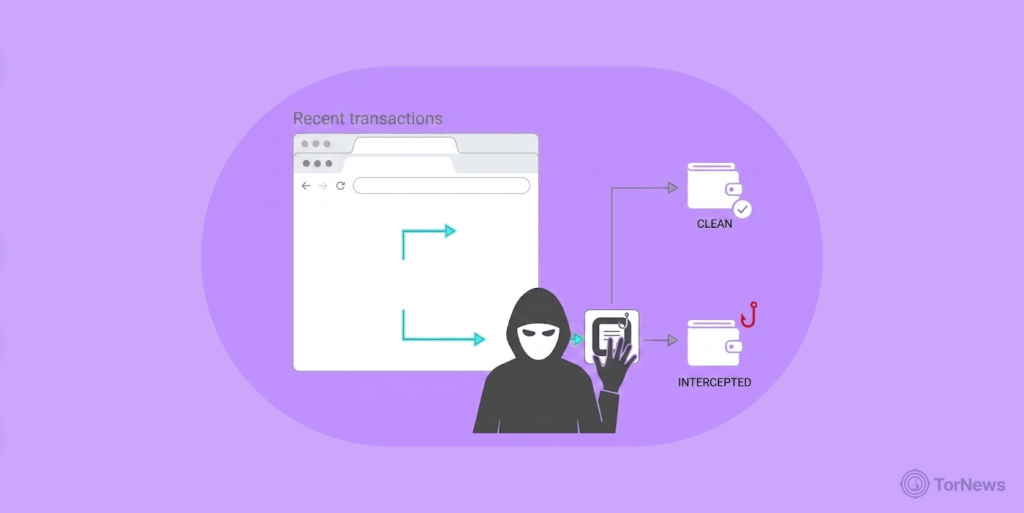
A fake browser extension posing as Google Notes is putting cryptocurrency users at risk by secretly replacing copied wallet addresses before payments go through.
Researchers at McAfee uncovered the campaign after analyzing a malicious browser extension targeting Chromium-based browsers, including Google Chrome, Brave, and Microsoft Edge. The company published its findings on June 30, 2026, and shared them with cybersecurity publishers like TorNews.com and others.
The attackers disguised the extension as a simple note-taking tool. Instead, it quietly monitored users’ clipboards and swapped cryptocurrency wallet addresses during transfers. The malware belongs to a threat category known as crypto clippers.
These attacks intercept copied wallet addresses and replace them with attacker-controlled destinations. Victims often complete payments without noticing the change. Unlike stolen passwords, cryptocurrency transfers usually cannot be reversed. One unnoticed wallet replacement could permanently cost victims their digital assets.
Malicious Extension Requests Suspicious Browser Access
McAfee found the fake extension requesting permissions far beyond what a basic notes application should require. According to the researchers, the extension asked for access to browsing history, clipboard contents, and every website users visited. Those permissions allowed attackers to monitor copied wallet addresses and modify them before users pasted payment details.
The incident highlights how Chrome’s permission model can be abused. Concerns have also been raised about Chrome downloading a 4GB AI model without user consent, raising questions about what the browser is doing in the background.
The malware also avoided traditional browser installation methods. Instead of relying on official browser stores, attackers used unsigned installers that directly modified browser preference files. This approach helped the malicious extension appear legitimate while bypassing normal installation safeguards.
McAfee explained that newer Chrome and Edge versions may still require Developer Mode before loading such extensions. However, older Chromium-based browsers remain more vulnerable. Attackers may also persuade users to enable Developer Mode during installation. Once active, the malware searched copied text for wallet formats linked to several major cryptocurrencies.
Researchers observed attacks targeting Bitcoin, Ethereum, Bitcoin Cash, Ripple, and Dash wallets. They also discovered that attackers assigned different wallets to victims, making simple wallet blocklists much less effective.
McAfee further revealed that the operators avoided hardcoded command servers. Instead, the extension queried a public blockchain smart contract to retrieve its active backend domain. During the investigation, researchers identified domains including devops-offensive(.)cc and Zebregts(.)com supporting the operation.
India Records Highest Number of Infections
McAfee’s telemetry showed victims across several countries, although India experienced a significantly larger concentration of infections than other regions. The company believes the campaign targets everyday cryptocurrency users worldwide instead of focusing exclusively on one country.
According to McAfee, the infection pattern suggests attackers are exploiting any available opportunity rather than conducting a region-specific operation. The researchers urged cryptocurrency users to carefully compare the first six and last six characters of every wallet address before approving any transfer. They also recommended verifying addresses on another trusted device whenever possible.
McAfee also advised users to install browser extensions only through official browser marketplaces. The company encouraged users to remove unfamiliar extensions immediately, review extension permissions regularly, avoid downloading unsigned software, and keep endpoint protection enabled.
Crypto Users Should Double-Check Every Transfer
The campaign highlights how trusted-looking browser extensions can quietly compromise cryptocurrency transactions without triggering immediate suspicion. Since many users rely on copy-and-paste when sending digital assets, attackers only need one unnoticed address swap to steal funds permanently.
According to McAfee, users should never assume copied wallet addresses remain unchanged after pasting them into payment fields. Verifying the destination before approving every transfer remains the safest defense against crypto clipper attacks.
Security experts continue encouraging users to treat unexpected browser extensions with caution, especially those requesting permissions unrelated to their advertised purpose. Remaining alert before sending cryptocurrency could prevent losses that no bank or blockchain network can reverse.
